How to Set Priorities for a Remote Team Without a Weekly Meeting
When priorities live in a weekly meeting, an async team guesses for the other six days. Rank instead of tagging, publish what you’re not doing, and re-rank on a schedule instead of on every ping.
On an office team, priorities leak through the walls. People overhear what the manager is worried about, see who’s in the meeting room and pick up what matters from the hallway. A remote team gets none of that. If you set priorities in a weekly meeting, everyone works from a week-old snapshot, and if your team works asynchronously, many of them weren’t even in the meeting.
This guide covers how to set priorities for a remote team so they survive between meetings, using four practices that run against the usual advice.
Why priorities fade on remote teams
Clarity is slipping everywhere. In Gallup’s Q3 2026 survey of U.S. employees, 46% strongly agreed that they knew what was expected of them at work, down from 49% in the first half of the year. Distance makes it worse: Gallup found that from 2020 to 2023, the drop in knowing what’s expected was about twice as large for hybrid and fully remote workers as for on-site workers whose jobs could be done remotely.
When nobody tells people what matters most, they guess. In Slingshot’s survey of 305 U.S. employees, 34% said they guess at what matters most when they aren’t given priorities. And guessing has a cost every time priorities shift: in a Reclaim.ai survey of more than 2,000 professionals, people reported spending 10.8% of their workweek recovering and catching up after having to reprioritize. That survey is self-reported and comes from a software vendor, but the direction matches what most remote managers see.

Rank, don’t tag
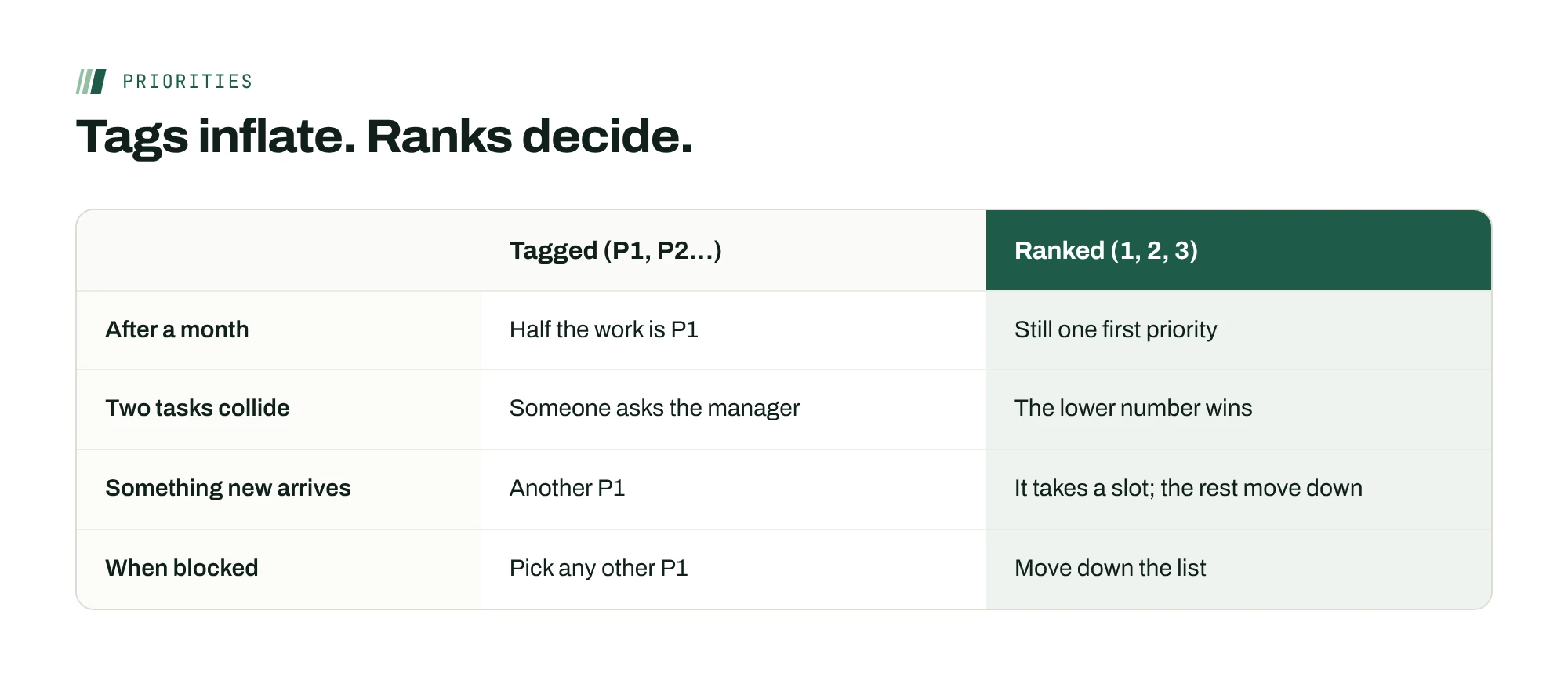
Most teams label priorities: P1, P2, high, medium. Labels feel precise but they inflate. Within a month, half the work is P1, and the label has stopped telling anyone what to do first.
Use a strict order instead. Pick no more than three team priorities for the quarter and number them. “1. Ship Northwind on Oct 30. 2. Cut the review backlog. 3. Finish the reporting migration.” When two pieces of work compete, the number settles it without a meeting. If something new outranks priority 1, it becomes the new priority 1 and everything else moves down. Nothing gets to be co-first.
A strict order also tells people what to do when they’re blocked: move down the list, not sideways to whatever arrived last.
Publish a not-now list
Managers are good at saying what matters. They’re much worse at saying what doesn’t, and that’s the half remote teams need most. Without it, every request that lands in someone’s inbox looks like it might be important.
Next to the ranked list, publish a short not-now list: work that’s reasonable but not this quarter. “Not now: the website refresh, a new reporting dashboard, the second onboarding track.” When a request matches something on the list, anyone on the team can say “that’s on the not-now list” without asking you. You’ll find the list does more to protect focus than the priorities do.
Re-rank on a schedule, not on every ping
Priorities that change whenever a client emails aren’t priorities. But priorities that never change are fiction. The answer is a priority half-life: a fixed point where you review the ranking, plus a narrow rule for what can change it in between.
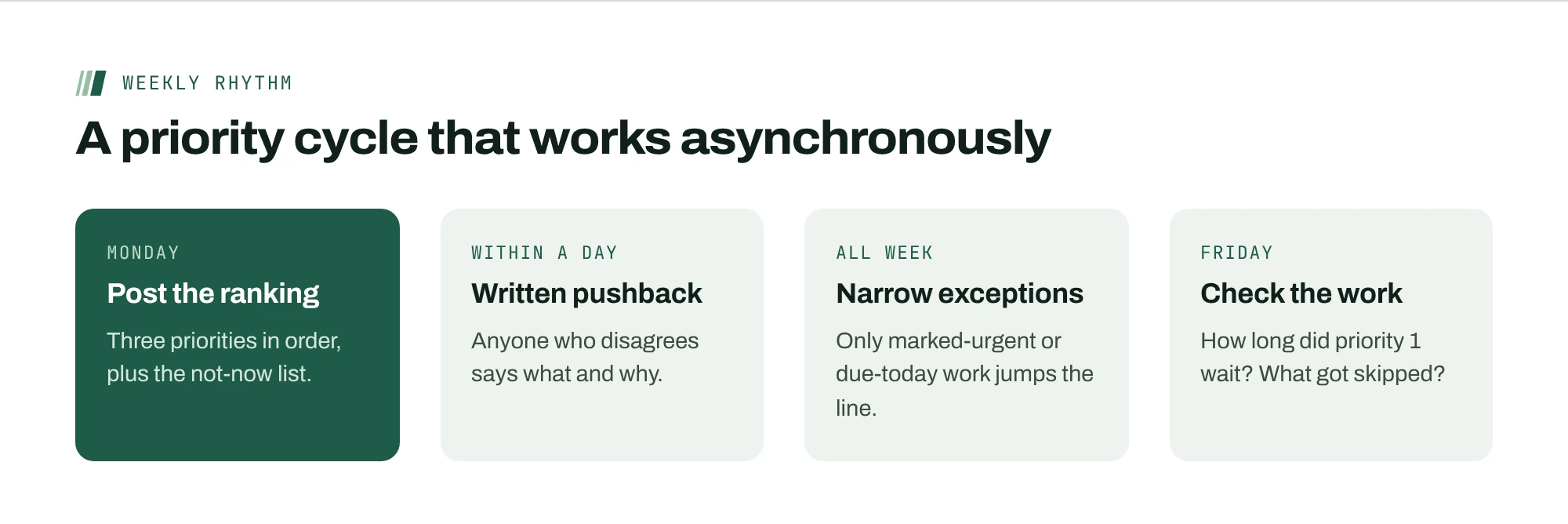
- A weekly re-rank, in writing. One short post: what moved, what didn’t, and why. People read it on their own schedule.
- A narrow exception rule. Between re-ranks, only two things change the order: something a manager marks urgent, or something due today. Everything else waits for the next re-rank.
- A record of changes. Keep the old rankings. When the order changes every week, that’s a signal about planning, not about the team.
Ask for disagreement in writing within a day
In a meeting, you can read the room. In a written priority post, silence can mean agreement or confusion. Make it explicit: “If you think this order is wrong, reply within a day with what you’d change and why. After that, we work to this list.”
Two things happen. People who see a problem raise it while it’s cheap to fix, and everyone else gets a clear signal that the list is settled. It’s the written equivalent of “disagree and commit,” and it suits a team that’s never all online at the same time.
A worked example of a priority post
Taylor runs a ten-person support and operations team across three time zones. Here’s the Monday post that replaced the weekly priorities meeting.
| Part | What Taylor wrote |
|---|---|
| Ranked priorities | 1. Keep every renewal on track. 2. Cut the support backlog under 50 tickets. 3. Finish the reporting migration. |
| Not now | The new help-center design, a second onboarding track, the chatbot pilot. |
| What changed | Renewals moved from 2 to 1: three large accounts renew this month. |
| Exception rule | Between now and next Monday, only items I mark urgent, or items due today, jump the order. |
| Pushback | If you’d change the order, reply by Tuesday with what and why. |
The post takes about ten minutes to write. Taylor’s team reads it on their own schedule, and the support lead in Manila no longer waits for a meeting in Chicago to know what comes first.
Break ties with the cost of waiting
When two priorities feel equal, ask which one gets more expensive the longer it waits. A renewal that lapses in three weeks costs more each day it slips. A help-center redesign costs about the same whether it starts this month or next. Rank the one with the rising cost first, and say so in the post.
This works better than asking which is more important, because almost everything a manager cares about feels important. Cost of waiting is something the team can check for themselves, which means fewer questions come back to you when new work arrives midweek.
A priority post you can copy
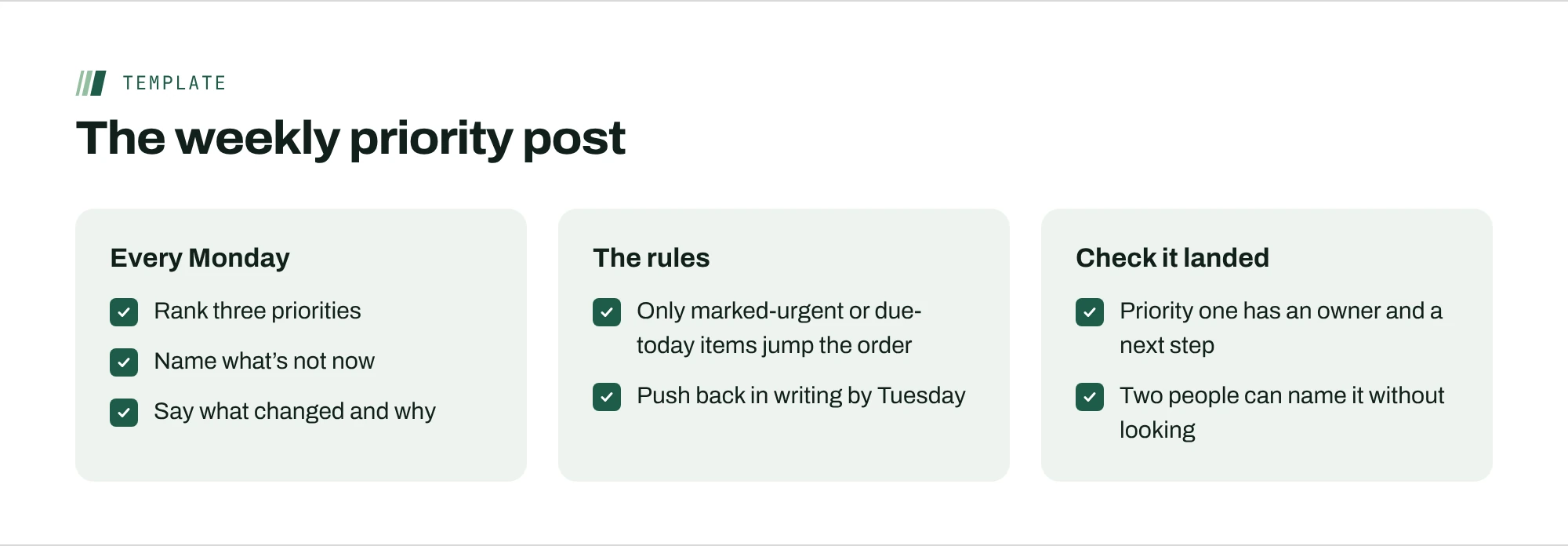
The post works because it answers the same five questions every week, in the same order. Keep the headings and change the content.
- Ranked priorities. Three at most, in order. If two things are tied, you haven’t decided yet.
- Not now. The work people will be tempted to start, named so they don’t have to ask.
- What changed since last week. One line on anything that moved, and why.
- The exception rule. What can jump the order before the next post, and who decides.
- How to push back. A deadline and a place to disagree in writing.
Post it at the same time every week, at the start of the earliest time zone’s day, so nobody begins the week working from last week’s order. Pin it where the work lives, not in a chat thread that scrolls away by Wednesday.
When two managers set different priorities
On remote teams, people often report to one manager and take work from another. If two people each publish a ranked list, the team member is back to guessing. Settle it with one rule: a person has one ranked list, owned by one manager. Other managers request work through that list, and the owner decides where it lands. It feels bureaucratic for about a week, and then it removes a whole category of “who should I listen to?” messages.
Make priorities reach each person’s next task
The last step is the one most teams skip. A ranked list in a document still has to be translated into what each person does next, and that translation happens dozens of times a day, by each person, alone. That’s where priorities quietly fade.
Make it visible instead. When you review the week, look at how long work tied to priority 1 waited before someone started it, and how often it was skipped. If the top priority keeps waiting, the ranking isn’t reaching the work, and the fix is in how work is assigned, not in a sterner message.
Signs your priorities aren’t reaching the work
A ranked list can exist on paper and still not change what anyone does. Three patterns give it away.
- Everyone is busy, and priority one hasn’t moved. People are working through what’s in front of them, not down the list. Check whether the top priority has an owner and a concrete next step this week.
- The not-now list keeps getting started. Usually someone senior asked for it directly. Move the request into the weekly post, or move it up the order openly, so the team isn’t caught between two instructions.
- The same question comes to you every day. If people still ask what they should do next, the post is too abstract. Rewrite each priority as the next step for the people who own it.
Gallup’s finding that only 46% of U.S. employees strongly agree they know what’s expected of them is a reminder that writing priorities down isn’t the same as people knowing them. A quick test: ask two people on different time zones to name the top priority without looking it up. If they can’t, the post isn’t reaching them.
Where ActionOrder fits
ActionOrder turns team priorities into each person’s next card. Managers set a few priorities, and every feed is ranked by urgency, impact, fit with those priorities, effort and what each card unblocks. Only items a manager marks urgent, and items due today, jump the line. The team view shows how long each priority has sat at the top and which cards keep getting skipped. See how priorities reach every feed.
Questions people ask
How do you set priorities for a remote team?
Pick no more than three team priorities and rank them in strict order, publish a not-now list beside them, and re-rank once a week in a short written post. Between re-ranks, let only manager-marked urgent items and work due today change the order. Ask for written disagreement within a day, then work to the list.
How many priorities should a remote team have?
Three or fewer at the team level, in a strict order. More than that and people start choosing between “top” priorities themselves, which is the guessing you’re trying to remove. Individual tasks can be many; team priorities should be few.
How often should priorities change?
On a fixed schedule, such as weekly, with a narrow exception rule in between. If the ranking changes at every review, look at planning: frequent reshuffles cost people time catching up, which professionals in one survey put at about a tenth of the workweek.
What if someone disagrees with the order?
Ask for disagreement in writing within a day, with what they’d change and why. Decide, post the outcome, and work to the list. People accept a decision they disagreed with more easily when they had a clear chance to argue it.
Sources
- U.S. Employee Engagement Below 30% for First Time in 15 Years (October 28, 2026)Gallup
- In New Workplace, U.S. Employee Engagement Stagnates (January 22, 2024)Gallup
- 2023 Digital Work Trends Report, Part 2Slingshot (sells work-management software)
- Task Management Trends Report (March 29, 2022)Reclaim.ai (sells scheduling software)