Stop Being the Router for Your Remote Team
Many remote managers become the switchboard every question passes through. Replace DMs with office hours, give away two-way-door decisions, and review last instead of first.
Look at your messages from yesterday. If most of them are questions only you can answer, decisions waiting for your yes, or work that needs your review before it moves, you’ve become your team’s router. Every piece of work passes through you on its way somewhere else.
In an office, being the router is tiring. On a remote team spread across time zones, it’s a bottleneck with a schedule: nothing moves while you’re asleep. This guide covers how to get out of the middle without losing control, using approaches that feel odd at first to managers who are good at their jobs.
What routing costs a remote team
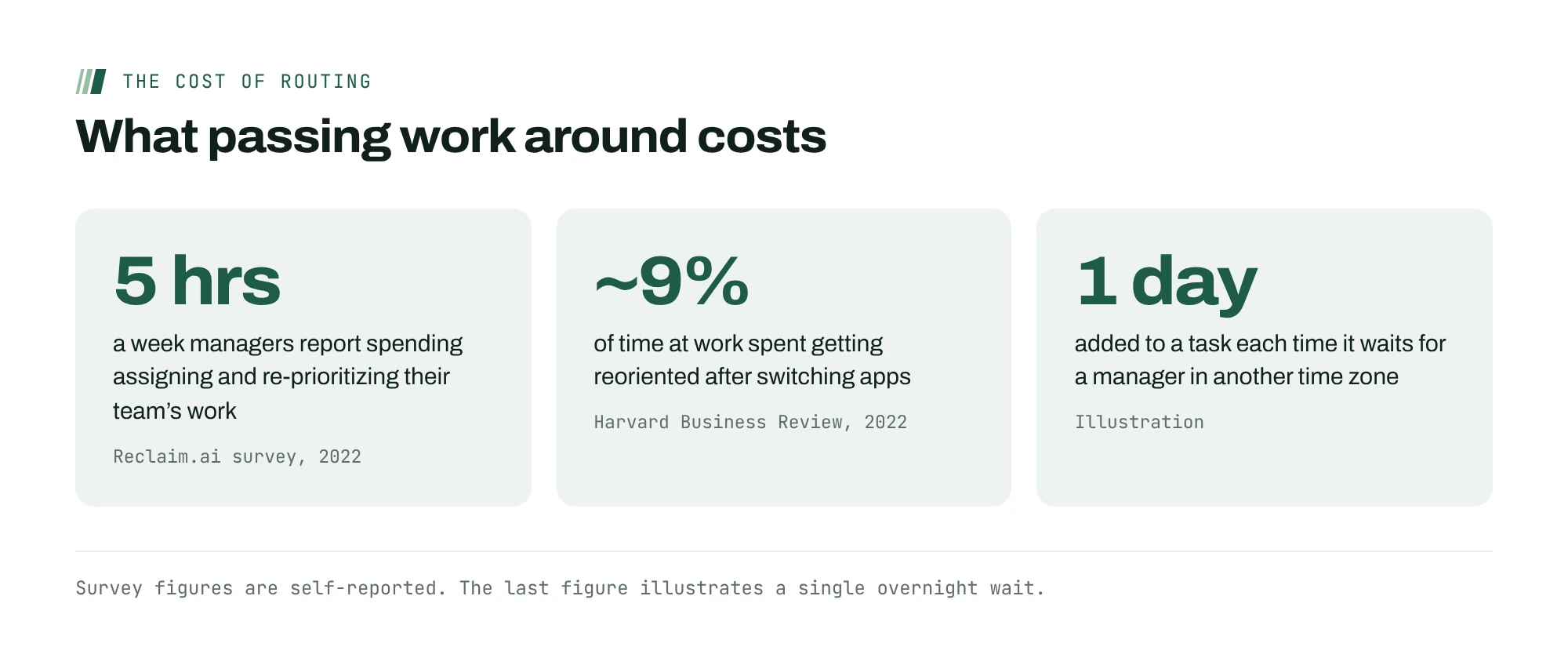
Routing feels like leadership because it’s busy. In a Reclaim.ai survey of more than 2,000 professionals, managers reported spending about five hours a week assigning, prioritizing and re-prioritizing their team’s work, roughly 12.4% of their workweek. The survey is self-reported and comes from a software vendor, but five hours a week is a full working day each month spent passing work around.
The bigger cost lands on the team. Every question that waits for you is a person who’s either blocked or switching to something else, and switching isn’t free. In a field study published in Harvard Business Review, people spent just under four hours a week, roughly 9% of their time at work, getting reoriented after switching between apps. A team that routes through one person multiplies those switches.
Give away the two-way doors
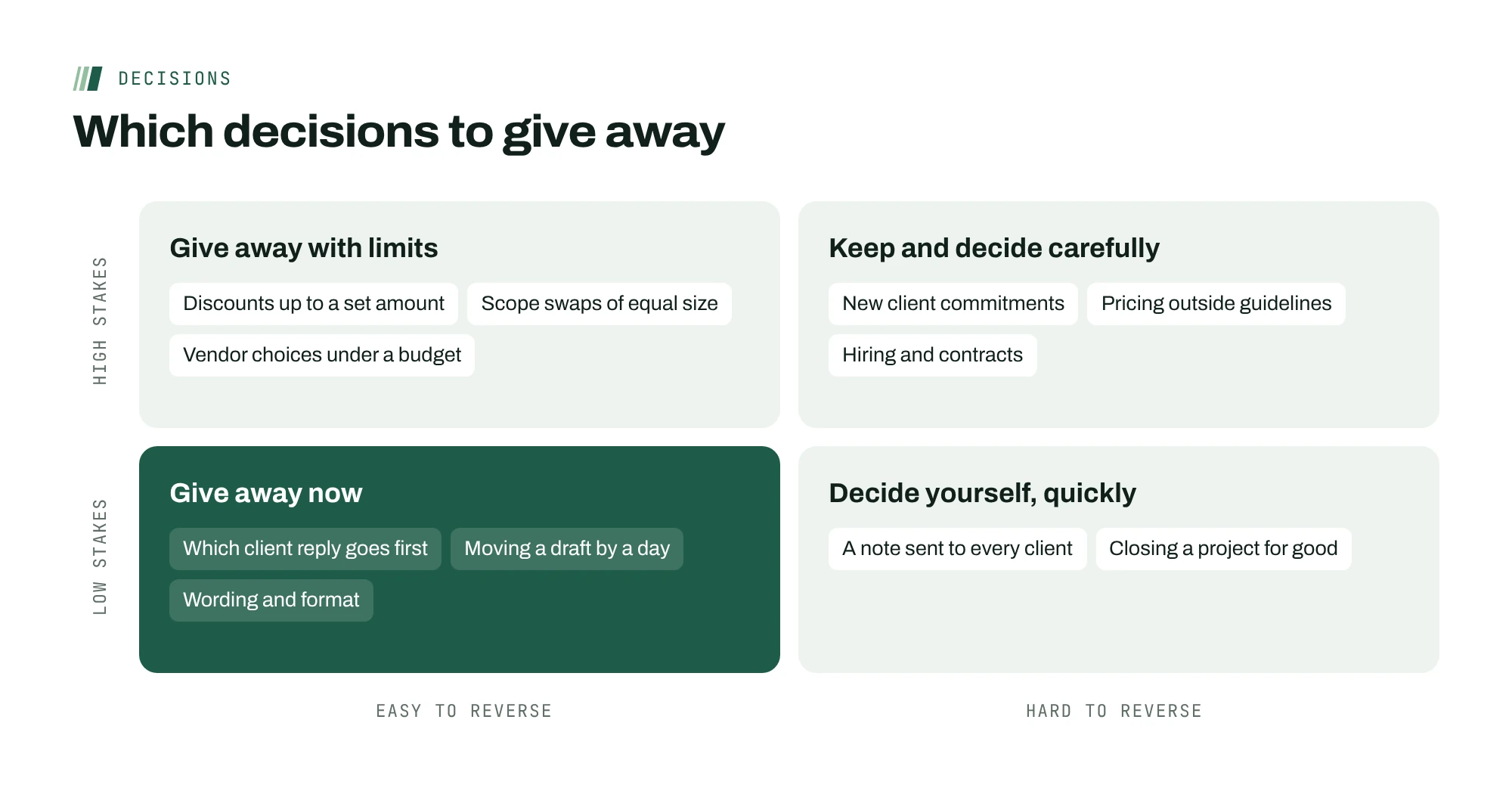
In Amazon’s 2015 letter to shareholders, Jeff Bezos split decisions into two kinds. One-way doors are consequential and hard to reverse, and deserve care. Two-way doors are changeable and reversible, and, he wrote, should be made quickly by people or small groups with good judgment.
Sort the questions that reach you this week into those two piles. Most remote managers find the large majority are two-way doors: which client email to answer first, whether to push a draft by a day, how to word a reply. Give those away, with a default that suits an async team: “Decide, tell me what you decided and why, and go ahead unless I object within a working day.”
The default matters more than the permission. “Feel free to decide” still leaves people waiting for you, because asking feels safer. “Proceed unless I object” makes waiting the unusual choice.

Hold office hours instead of answering all day
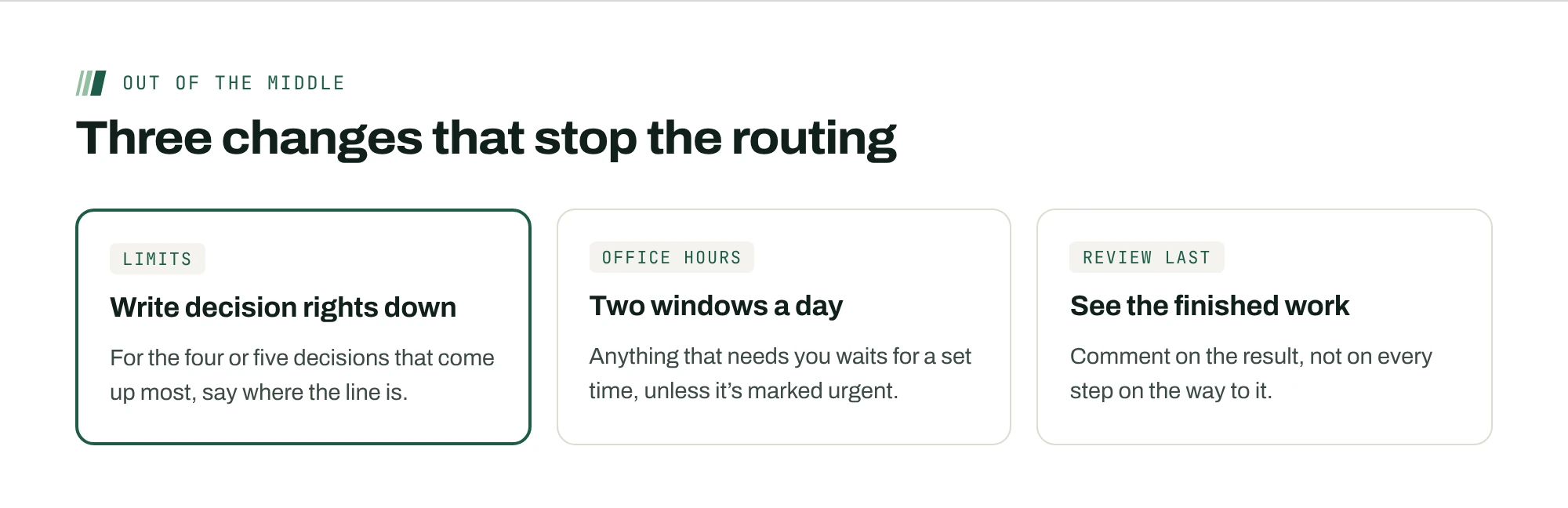
Answering every question as it arrives feels responsive. It also trains the team to ask instead of look, and it breaks your own day into pieces. Try written office hours: two windows a day, matched to your team’s time zones, when you clear the questions waiting for you in one pass.
Two rules make it work. First, questions go in one place, attached to the work they’re about, not scattered across direct messages. Second, a question that can’t wait for the next window is, by definition, urgent, and urgent has a narrow definition: something you’ve marked urgent, or something due today. Most questions turn out to fit neither, and many get answered by the person who asked while they were writing them down.
Review last, not first
Many managers insist on seeing work before it goes anywhere: the client email, the plan, the estimate. It’s well meant, and on a remote team it adds a day to everything, because the work waits for your time zone twice.
Flip the order. Let work go out under clear limits, and review a sample afterward. Read a handful of client replies at the end of the week instead of approving each one. Look at estimates against the time actually logged instead of checking every estimate up front. You’ll catch the patterns that matter, and the team will stop waiting for you to catch typos.
Keep pre-approval for one-way doors only: pricing outside your guidelines, commitments to new clients, anything that’s hard to take back.
Run it as a two-week experiment
Getting out of the middle is easier to start if you treat it as a test rather than a new policy. For two weeks, track three things, then compare them with the two weeks before.
| What to track | How | What good looks like |
|---|---|---|
| Questions that reach you | Count them at each office-hours window | Falling week to week, and fewer repeats |
| Time work waits for you | Note when a question arrived and when you answered | Under one working day, with no overnight waits for two-way doors |
| Decisions you’d have made differently | Review a sample at the end of each week | A few, small, and fixable with a clearer limit |
Expect the last number to be higher than zero. That’s fine. A decision you’d have made slightly differently, made a day sooner, is usually a good trade on a remote team.
Write the limits down, not just the permission
“Use your judgment” isn’t delegation. It’s a guess about what you’ll accept. People route questions to you because they don’t know where your limits are. Write them down, once, for the decisions that come up most.
| Decision | Decide it yourself when | Check with me when |
|---|---|---|
| Client scope requests | It fits the signed scope or adds under two hours | It changes a date or the price |
| Spending | Under $500 and inside the budget line | Over $500, or a new vendor |
| Your own task order | It doesn’t move anyone else’s deadline | It delays someone else’s work |
| A client complaint | You can fix it within a day | It involves a refund or the contract |
The numbers are examples. Pick yours, and raise them as the team shows it can handle them. A limit that never moves tells people you don’t trust the last six months of their work.
Ask a question instead of giving the answer
For the first few weeks, people will still bring you decisions they could make themselves. Don’t refuse, and don’t answer. Ask one of these instead, in writing, so the reply becomes a record others can learn from:
- “What would you do if I weren’t around this week?”
- “What’s the worst thing that happens if you’re wrong, and could we undo it?”
- “Who on the team has handled something like this before?”
Most of the time the person already has a reasonable answer and wants permission. Give it once, then point to the written limit so they don’t need it next time. When the answer they give is one you wouldn’t accept, that’s useful too: it shows you which limit needs to be clearer.
Keep a short log of the questions you redirect for a month. The patterns show which limits need rewriting and which people need more context, and the log shrinks as the team gets used to deciding.
What to tell the team
People who are used to asking will keep asking unless you change the default out loud. A short message works: “For the next two weeks, if a decision can be undone, make it, tell me what you decided and why, and go ahead unless I object within a working day. I’ll answer questions at 9:00 and 16:00 Chicago time. If something can’t wait, mark it urgent.” Then hold to it, especially the first time someone makes a call you wouldn’t have. How you respond to that decision decides whether the next person makes one.
Spend the freed time on the team, not the queue
Getting out of the middle frees hours, and they’ll fill with routing again unless you spend them on purpose. The best use is fixing whatever keeps generating questions. If the same question arrives three times a month, the answer belongs in a template or a working agreement, not in your inbox.
Keep a short log of questions that reach you. Once a week, pick the most repeated one and remove it at the source: write the rule, update the template, or give someone the decision permanently. Within a couple of months, the questions that reach you are the ones that should.
What usually goes wrong
- Answering anyway. Someone asks a two-way-door question outside office hours, and you answer because it’s quick. Everyone learns the old route still works, and the queue comes back within a week.
- Overruling in public. If you disagree with a decision someone made inside their limits, say so privately and change the limit if you need to. Reversing it in front of the team ends the experiment.
- Keeping the hard calls hidden. When you do make a one-way-door decision, write down why. People can only make decisions like yours if they can see how you make them.
- Measuring the wrong thing. Fewer questions reaching you is the goal, not fewer questions overall. If people stop asking each other too, they’re guessing in private.
Where ActionOrder fits
ActionOrder gives each person on your team their next step directly, ranked from the tools the team already uses, so work doesn’t have to pass through you to be assigned. Questions come to you as cards, attached to the work they’re about, and only items you mark urgent or items due today can interrupt someone’s active card. When the same problem keeps landing in your feed, ActionOrder proposes a Build move to fix it at the source. See how this looks in the status-meeting use case.
Questions people ask
How do I stop being a bottleneck as a remote manager?
Sort decisions into one-way doors you keep and two-way doors you give away, with the default “decide, tell me, proceed unless I object.” Answer questions in written office hours rather than all day, and review a sample of work afterward instead of approving everything first.
What should a manager still approve before work goes out?
Decisions that are hard to reverse: pricing outside your guidelines, new commitments to clients, hiring and anything legal or financial. For everything else, clear limits and a review after the fact catch the problems that matter without making the team wait for your time zone.
Won’t quality drop if I stop reviewing everything?
Usually less than you expect. Sampling work after it ships shows you patterns, and patterns are what you can fix. Pre-approval mostly catches small issues while adding a day to every task. Keep it for the work where a mistake would be expensive.
How do office hours work on an async team?
Pick two windows a day that overlap different time zones, and clear the questions waiting for you in one pass. Questions go in one place, next to the work they’re about. Anything that can’t wait must be marked urgent or due today.
Sources
- Task Management Trends Report (March 29, 2022)Reclaim.ai (sells scheduling software)
- How Much Time and Energy Do We Waste Toggling Between Applications? (August 29, 2022)Harvard Business Review
- 2015 letter to shareholders (Exhibit 99.1)Amazon, filed with the SEC