Weekly Timesheet Template (Free and Printable)
A weekly timesheet template with task, project and billable columns. Copy it, fill it in online with automatic totals, or print the PDF.
A weekly timesheet template is a one-page record of the hours a person worked each day of a week, broken down by task or project, with daily and weekly totals. Fill it in at the end of each day rather than on Friday, log time against a named task, and mark which hours are billable to a client.
Weekly timesheet template
One line per task per day. Hours in decimals: 7.25, not 7:15.
Weekly timesheet: [name], week of [Monday's date]
Role: [role] · Manager: [name] · Workweek starts: [day and time]
Day · Task · Project or client · Hours · Billable (Y/N)
Mon [date] · [task] · [project or client] · [0.00] · [Y/N]
Tue [date] · [task] · [project or client] · [0.00] · [Y/N]
Wed [date] · [task] · [project or client] · [0.00] · [Y/N]
Thu [date] · [task] · [project or client] · [0.00] · [Y/N]
Fri [date] · [task] · [project or client] · [0.00] · [Y/N]
Sat and Sun, if worked · [task] · [project or client] · [0.00] · [Y/N]
Totals
Total hours: [0.00] · Billable: [0.00] · Non-billable: [0.00]
Notes
[Time off, approved overtime, corrections]
Sign-off
Employee: [name, date] · Manager: [name, date]
What should a weekly timesheet include?
A weekly timesheet should include the person, the week, the hours worked each day, the weekly total and what the time was spent on. Add a billable column if you invoice clients.
In the US, a federal rule also sets what employers' records must show. Under the Department of Labor's rule on records to be kept by employers, records for employees subject to federal minimum wage, or minimum wage and overtime, provisions include the "time of day and day of week on which the employee's workweek begins" and the "hours worked each workday and total hours worked each workweek" (29 CFR 516.2). Hence the "Workweek starts" line. Laws vary by state and change, so check the rules where your people work. This is general information, not legal advice.
How do you calculate hours on a timesheet?
Subtract the start time from the end time, take out unpaid breaks, then divide the minutes by 60 to get a decimal. For example, 8:45 a.m. to 5:15 p.m. is 8 hours 30 minutes; minus a 30-minute unpaid lunch, that's 8.00 hours.
15 minutes = 0.25 hours
30 minutes = 0.50 hours
45 minutes = 0.75 hours
A filled weekly timesheet example
Example: Jordan is the QA lead on Alex's team. This is Jordan's week on the Northwind release.
Example: Jordan, week of Nov 16
Logged daily, submitted Monday morning
Weekly timesheet: Jordan, week of Nov 16
Day · Task · Project or client · Hours · Billable
Mon · Regression test plan · Northwind · 7.50 · Y
Tue · Test runs, product pages · Northwind · 8.00 · Y
Wed · Team meeting and interviews · Internal · 6.00 · N
Thu · Bug verification · Northwind · 7.00 · Y
Fri · Accessibility check · Northwind · 6.50 · Y
Totals
Total hours: 35.00 · Billable: 29.00 · Non-billable: 6.00
Notes
Wednesday afternoon off, approved by Alex.
How do you run timesheets on a remote team?
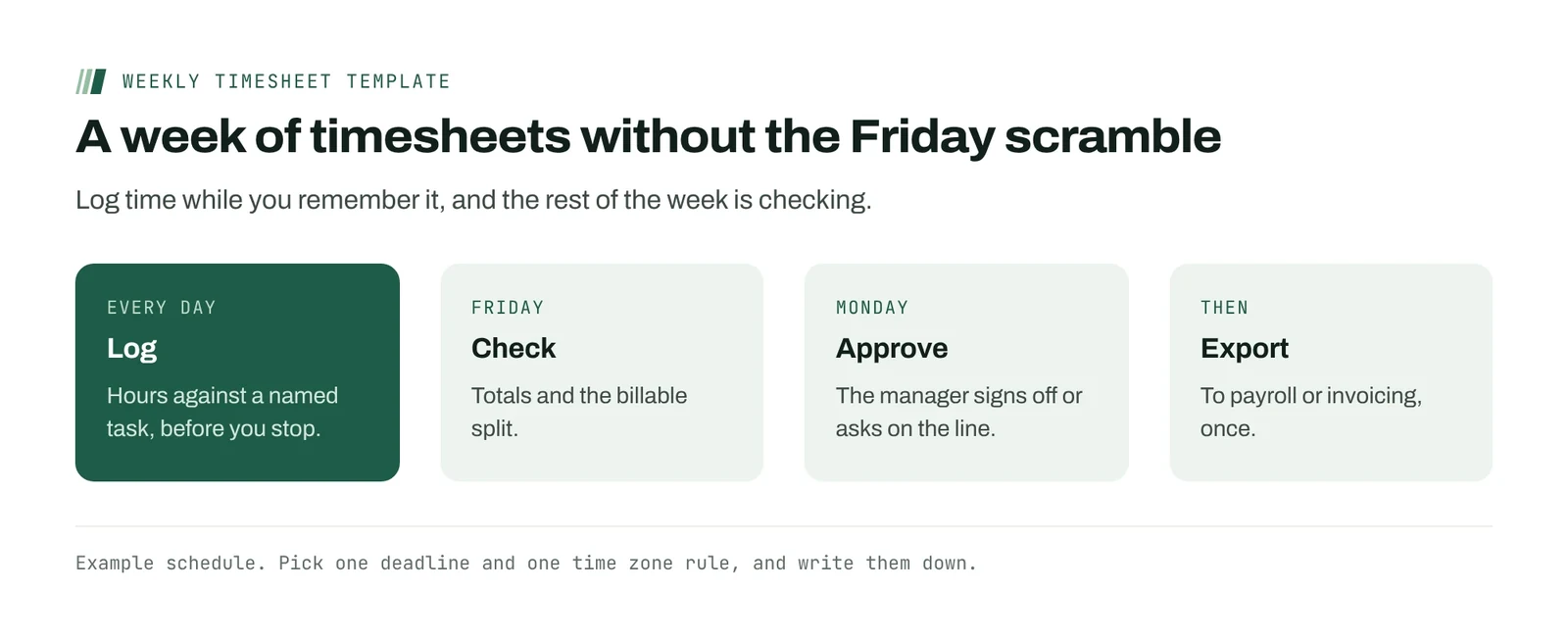
Log time daily in each person's own time zone, set one weekly deadline, and handle questions in writing.
Log at the end of each day. Filling in five days from memory on Friday is guesswork.
Set one deadline. For example, Monday noon in each person's own time zone.
Ask questions on the line, in writing. People correct their own entries with a note.
Approve before payroll or invoicing runs. Then export once.
For invoiced time, see billable hours tracking.
Fill in the weekly timesheet online
Enter a task and hours for each day; totals update as you type. Nothing you type is stored or sent anywhere.
Your weekly timesheet
Builds as you type. Nothing is stored or sent.
Your filled-in template appears here as you type.
How ActionOrder handles this
ActionOrder, an efficiency and accountability tool for managers of remote teams, puts the timesheet on the work. On Pro and Business, people log their own time against the card they're working and can correct it, and time can only be logged against a card. Every logged hour is task time. Logged time exports to CSV. Hours are seen by the person, their managers, and admins with a payroll or billing role. Nothing runs in the background.
Join the waitlist. ActionOrder is in pre-launch.
Questions people ask
What is a timesheet?
A timesheet is a record of the hours a person worked over a period, usually a week, broken down by task, project or client. Teams use it for payroll, billing and planning.
How do I fill out a weekly timesheet?
Enter the week's start date, then for each day the task, the project or client and the hours in decimals. Mark billable hours, add the totals and submit by the deadline.
Can I use this timesheet in Excel or Google Sheets?
Yes. Use the template's columns as your headers, one row per task per day, and add a sum for total and billable hours.
Should salaried employees fill out timesheets?
Many teams ask salaried people to log time for client billing or project costing. Before you ask, explain why you collect it, who sees it and what it's used for.
Sources
- 29 CFR 516.2: Employees subject to minimum wage or minimum wage and overtime provisionsCode of Federal Regulations, via Cornell Law School Legal Information Institute, checked Nov 22, 2026