Retrospective Template for Remote Teams (Async-Friendly)
A retrospective template for the end of a sprint, project or month: what went well, what didn't, what to try and who owns each change.
A retrospective template is a short structure a team uses at the end of a sprint, project or month to look back and pick improvements. The simplest asks what went well, what didn't and what to try next, and ends with one to three changes, each with an owner and a date to check on it.
Retrospective template
Open it two working days before the deadline. Everyone adds notes on their own time.
Retrospective: [team or project], [period], [date]
Last time's changes
[Change]: [done, partly or not yet], [what happened]
What went well
[Keep doing: one item per line]
What didn't go well
[What slowed us down or caused rework]
What we learned
[Anything we'd tell another team]
What to try next
[Ideas for change. Each person votes for up to three]
Changes we'll make (one to three)
[Change] · Owner: [name] · Check on: [date]
What is a retrospective, and what should it cover?
A retrospective is a regular meeting or written exercise where a team looks back at a period of work and picks a few changes to make. In Scrum, "the purpose of the Sprint Retrospective is to plan ways to increase quality and effectiveness," and the team "inspects how the last Sprint went with regards to individuals, interactions, processes, tools, and their Definition of Done" (Scrum.org). The same idea works for any team at the end of a project or a month.
The template starts with last time's changes on purpose: a retrospective that never checks them turns into a complaint session. Keep it blameless: write what happened, not who did it.
A filled retrospective example
Example: Jordan, the QA lead, runs the retrospective after the team's Northwind product pages release.
Example: Northwind product pages release
Notes collected over two days, changes agreed in a 20-minute call
Retrospective: Northwind product pages, Nov 2 to Nov 20
Last time's changes
Annotate designs before handoff: done, fewer questions during QA.
What went well
Test plan signed off a week before release.
Designs arrived annotated, so QA started on time.
What didn't go well
Copy changes arrived after QA started, twice.
Bugs were reported in three different places.
What we learned
A copy freeze date has to be in the plan, not just agreed on a call.
What to try next
Copy freeze two days before QA · One place for bug reports
Changes we'll make
Copy freeze two days before QA starts · Owner: Priya · Check on: next retrospective
All bugs go in the project tracker, nowhere else · Owner: Jordan · Check on: Dec 7
How do you run a retrospective async?
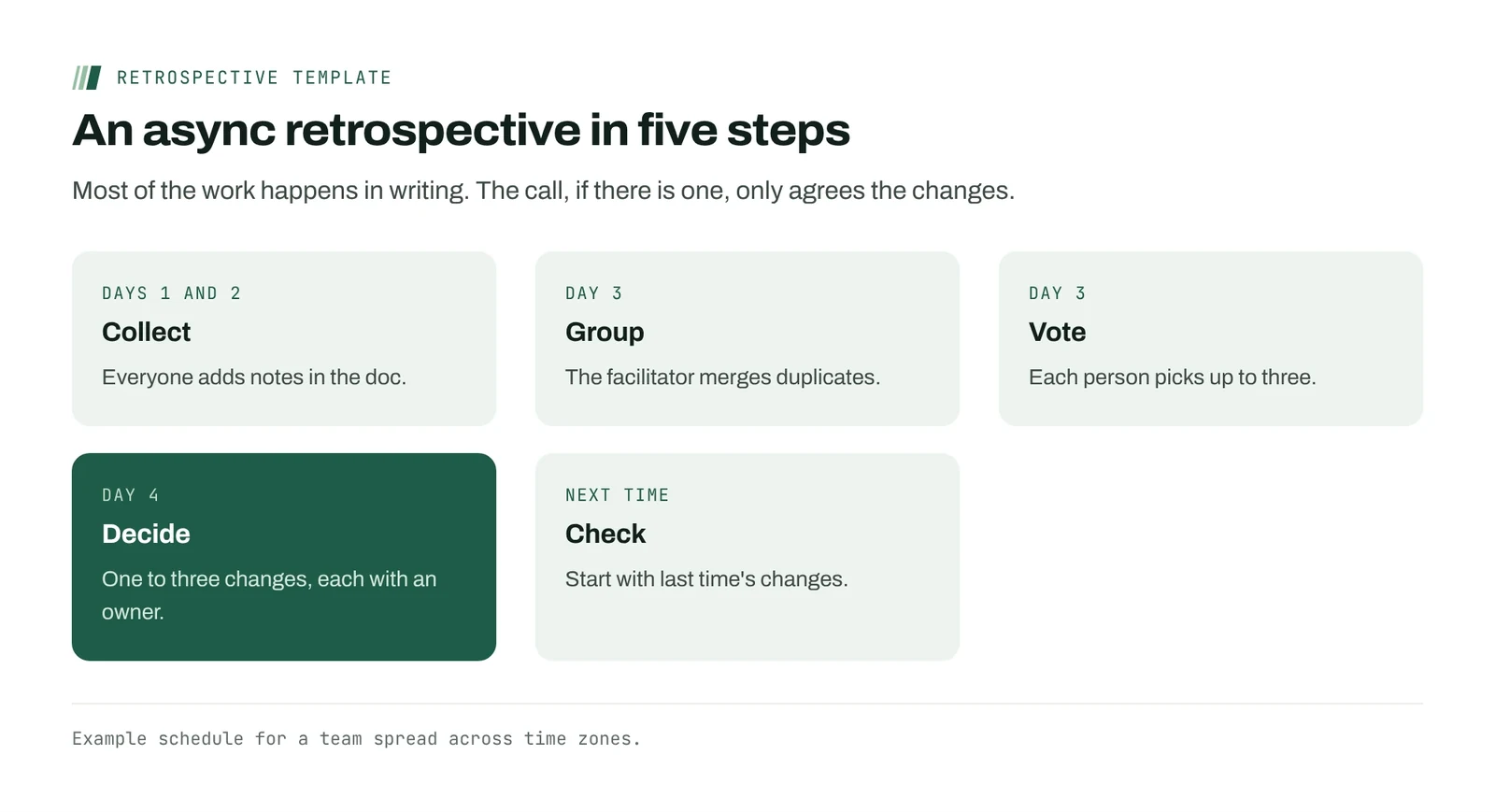
Collect notes in writing over two days, group and vote in the doc, then use a short call or a thread only to agree the changes.
Open the doc two working days before the deadline. Everyone adds notes on their own time, in their own time zone.
Ask for specifics. "Copy changed after QA started, twice" beats "communication was bad."
Group duplicates the day before. The facilitator merges similar notes and keeps the wording neutral.
Vote in writing. Each person picks up to three items worth changing.
Agree one to three changes. In a short call or the thread, each with an owner and a date to check.
Scrum.org puts the Sprint Retrospective at "a maximum of three hours for a one-month Sprint," with shorter Sprints usually shorter (Scrum.org). Async, the live part can often be 20 minutes, because the writing happened beforehand.
Fill in the retrospective online
Type in the fields and the retrospective builds below as you type. Paste it into your team doc or thread. Nothing you type is stored or sent anywhere.
Your retrospective
Builds as you type. Nothing is stored or sent.
Your filled-in template appears here as you type.
How ActionOrder handles this
ActionOrder, an efficiency and accountability tool for managers of remote teams, keeps the facts a retrospective needs. Every card has one owner and a status, and people set "stuck" themselves. On Pro, the team view shows queue time, how long a priority sat at the top, skips and logged time against estimate, so "it felt slow" becomes "this card waited four days for review." There is no ranking of people.
Join the waitlist. ActionOrder is in pre-launch.
Questions people ask
What is a sprint retrospective?
It's the Scrum event at the end of each Sprint where the team looks at how the Sprint went and plans improvements. Scrum.org describes its purpose as planning "ways to increase quality and effectiveness." Teams outside Scrum run the same exercise at the end of a project or a month.
What are good retrospective questions?
What went well? What didn't? What did we learn? What should we try next? What happened to last time's changes? For variety, use start, stop and continue, or ask what helped and what got in the way.
How often should a team hold a retrospective?
At the end of every sprint for Scrum teams. Other teams usually hold one monthly, or at the end of each project or milestone.
How do you keep a retrospective blameless?
Talk about the work, the process and the tools, not people. Write notes as what happened rather than who did it, and have the facilitator reword anything that points at a person before the team votes.
Sources
- What is a Sprint Retrospective?Scrum.org, checked Nov 22, 2026 (the page shows no publication date)