Async Meetings: How to Replace a Status Meeting
An async meeting replaces a live call with a written thread. See which meetings can go async, a five-question decision table and a standup template.
An async meeting is a meeting held in writing or recordings instead of live: one owner posts the topic, people respond on their own schedule before a deadline, and the outcome goes in a decision log. It works best for status updates, standups, FYI updates and simple approvals. Conflict and sensitive conversations should stay live.
What is an async meeting?
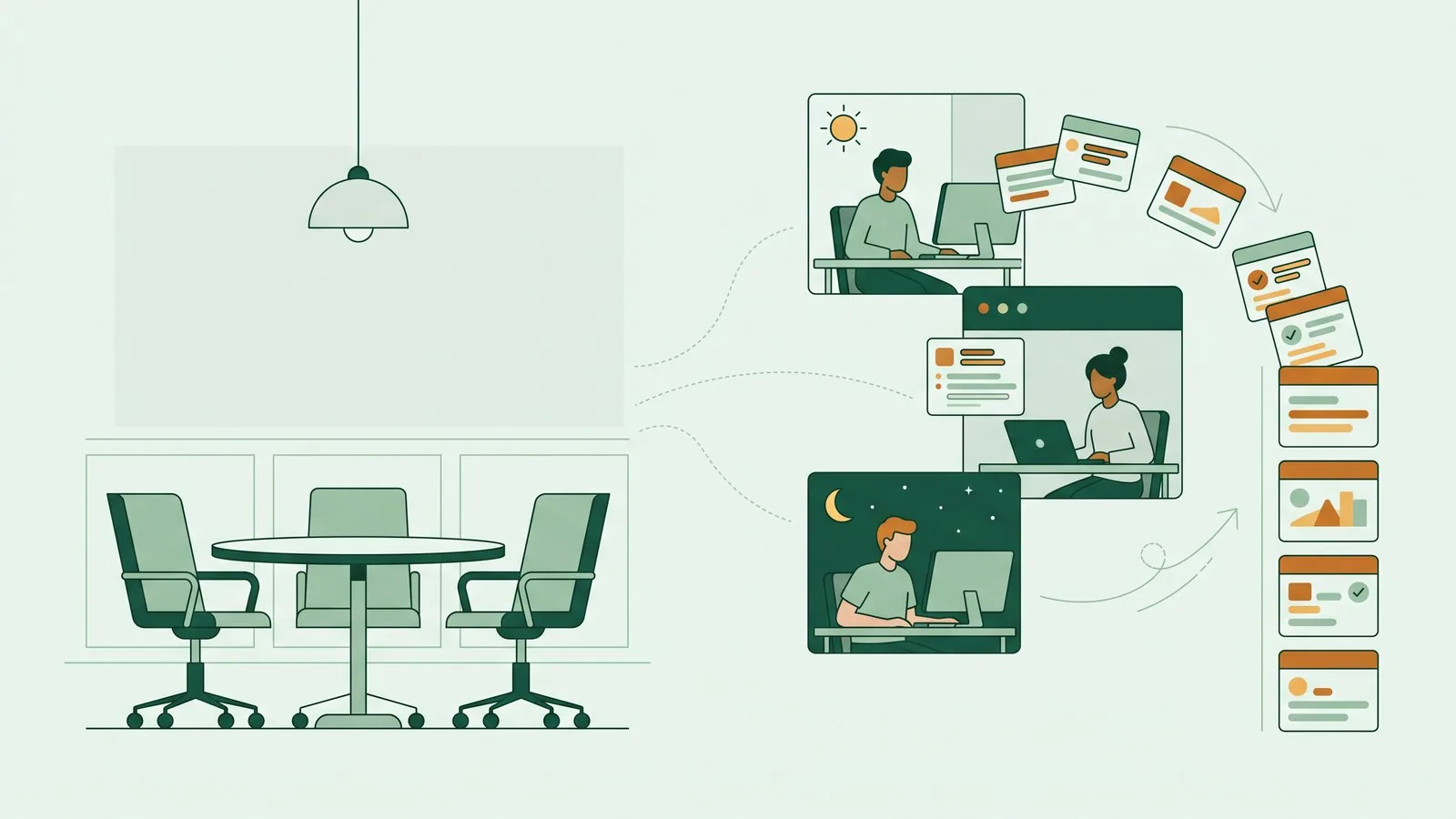
An async meeting is a structured discussion that happens over hours or days instead of in one time slot. It has the parts of a good meeting (an owner, a purpose, a deadline and an outcome), but nobody has to be online at the same time.
That matters on teams spread across time zones, and on any team where meetings crowd out focused work. Microsoft's analysis of Microsoft 365 signals found that meetings starting after 8 pm were up 16% year over year in data ending February 15, 2025 (Microsoft WorkLab, June 17, 2025). In the same data, for the 20% of users who receive the most pings, a meeting, email or notification interrupted them every 2 minutes on average across an eight-hour workday.
A status meeting is the easiest place to start. It mostly moves information one way, and that information is usually written down somewhere already. For why chasing updates fails in the first place, see how to stop chasing status updates.
Which meetings can go async, and which should stay live?
Meetings that move information go async well; meetings that resolve disagreement or build relationships should stay live. Two questions sort almost any meeting: how contested is the topic, and how much does the relationship matter?
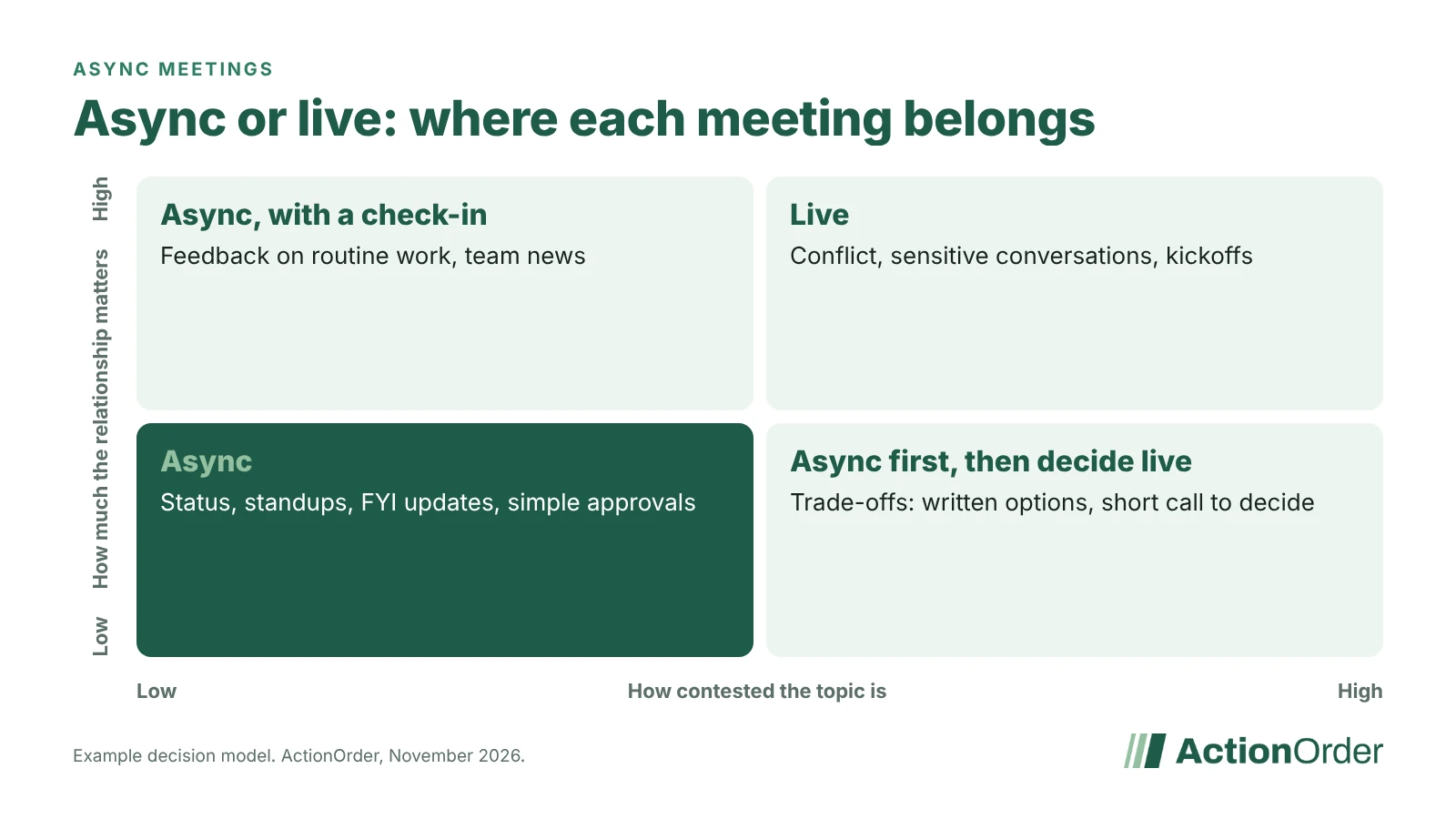
Async: status meetings, standups, FYI updates, simple approvals and routine reviews.
Async first, then decide live: trade-offs with clear options. Write the options down, collect views, then hold a short call to decide.
Live: conflict, sensitive conversations such as feedback on performance, project kickoffs and open-ended brainstorming.
There's evidence that fewer meetings can help. A study in MIT Sloan Management Review surveyed 76 companies, each with more than 1,000 employees and operations in more than 50 countries. It reported that "when one no-meeting day per week was introduced, autonomy, communication, engagement, and satisfaction all improved" (MIT Sloan Management Review).
Should this meeting be async? A five-question decision table
Answer five questions about the meeting. If three or more answers point to async, run it async for four weeks and review.
| Question | Points to async | Points to live |
|---|---|---|
| Is the main purpose to share information? | Yes: status, updates, FYI | No: to debate or resolve |
| Do people disagree about the topic? | Little or no disagreement | Real disagreement or tension |
| Could someone be hurt or surprised by the outcome? | No | Yes: feedback, changes to roles |
| Does everyone have what they need to respond in writing? | Yes: the context is written down | No: the topic needs exploring first |
| Are attendees in three or more time zones? | Yes | No |
Example: Alex runs a weekly 45-minute status call for a 9-person delivery team. Purpose: share information. Disagreement: little. Risk of hurt: none. Context: already in the task list. Time zones: three. Five of five point to async, so Alex replaces the call with a written update and keeps a 30-minute live slot every other week for decisions.
How do you run an async standup?
Run an async standup by posting the same short prompts every day in one place, with a set time to post and a set time to reply to anything stuck. The Scrum Guide describes the purpose of the Daily Scrum as "to inspect progress toward the Sprint Goal and adapt the Sprint Backlog as necessary," and notes that "the Developers can select whatever structure and techniques they want" (Scrum Guide, 2020). The guide still describes the Daily Scrum as a 15-minute event held at the same time and place every working day, so a written standup borrows its purpose rather than replacing the event.
Use this prompt:
| Prompt | What to write |
|---|---|
| Done since last update | One or two lines, linked to the task |
| Doing next | The single next thing, with its due date |
| Stuck | What's blocked, since when, and who can unblock it |
| Needs a decision | A yes/no or either/or question, with your recommendation |
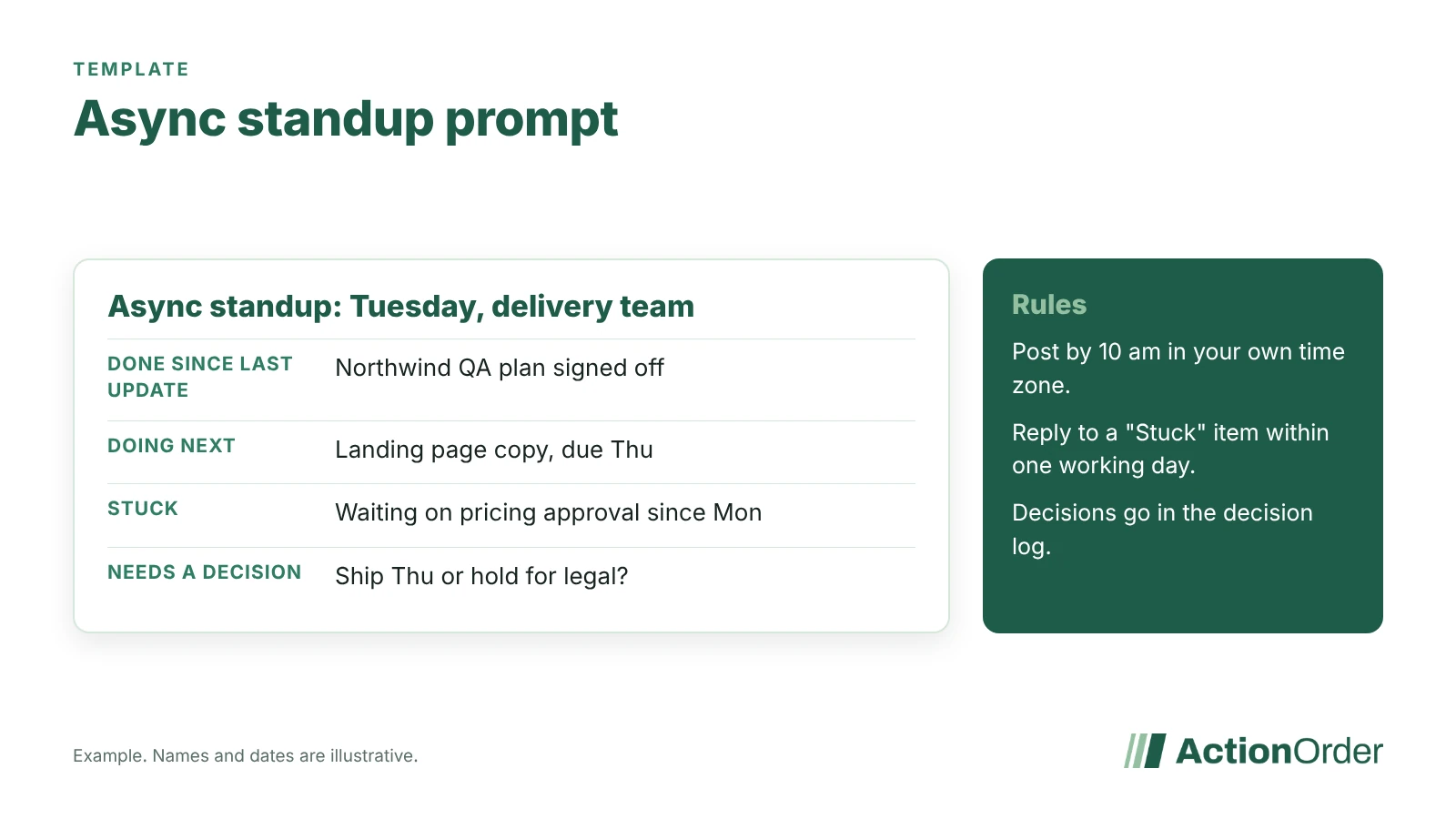
Three rules make it work:
Post by 10 am in your own time zone. People read updates when they start their day, not when the poster does.
Reply to every "Stuck" item within one working day. This is the part a live standup does well, so protect it.
Put decisions in the decision log. A thread is not a record. Copy the outcome to one shared log.
What are the four async meeting formats?
Four formats cover most meetings a remote team needs to replace. Each has one owner, a reply deadline and a logged outcome.
| Format | Best for | Owner posts | Others do | Ends with |
|---|---|---|---|---|
| Written update | Weekly status, project news | A short update in a fixed format | Read, reply only with questions | Questions answered |
| Recorded walkthrough | Design reviews, demos, complex changes | A 5-minute recording plus a written summary | Watch and comment at timestamps | Changes agreed in writing |
| Decision thread with a deadline | Approvals, choices between options | Options, a recommendation and a deadline | Vote or object with a reason | The owner logs the decision |
| Async standup | Daily coordination | The four standup prompts | Post their own update, unblock others | Stuck items picked up |
The weekly written update has its own template: see the weekly status report template. For teams handing work across time zones each day, an end-of-day report does the same job at a shorter interval.
How long should people have to respond in an async meeting?
Give people at least one full working day in their own time zone to respond, and say the deadline in the first line of the post. Shorter deadlines turn async into a live meeting with worse audio.
Set response times by type, not by person:
Standup and stuck items: within one working day.
Decision threads: two working days, or longer if the decision is hard to reverse.
FYI updates: no reply needed unless something is wrong.
Urgent issues: don't use an async meeting at all. Use the team's agreed urgent lane, such as a call or a direct page.
Write these down once as a team agreement. The full method is in write a response-time agreement instead of expecting instant replies.
What tools work for async meetings?
Async meetings need four kinds of tool, and most teams already have them. Pick one place for each and use it consistently.
| Tool category | Used for |
|---|---|
| Project or task management tool | Status written on the task, so updates link to the work |
| Team chat with threads | Standups and decision threads, one thread per topic |
| Screen and video recording tool | Recorded walkthroughs with comments |
| Shared document or wiki | The decision log and the weekly recap |
The tool matters less than the habit. Atlassian's survey of 12,000 knowledge workers and 200 executives found that "leaders and teams waste 25% of their time just searching for answers" (Atlassian, State of Teams 2025). A single decision log and status that lives on the task cut that search.
How ActionOrder handles this
ActionOrder, an efficiency and accountability tool for managers of remote teams, replaces the information half of a status meeting. It reads the tools your team already uses and gives each person one clear next step at a time. Every card has one owner and a status: done, in progress, waiting or stuck, and people set "stuck" themselves. On Pro, the team view shows each card's owner and status and how long it waited in the queue, and a Friday recap shows what moved, what's stuck and what needs the manager. That leaves live time for decisions. Nothing runs in the background.
Join the waitlist. ActionOrder is in pre-launch.
Questions people ask
Are async meetings effective?
They are effective for moving information and making simple decisions, and less effective for resolving conflict or building trust. Success depends on structure: one owner, a clear prompt, a reply deadline and a logged outcome. Without those, an async meeting becomes a long thread nobody finishes. Review each format after four weeks and keep the ones that worked.
How do you start replacing meetings with async updates?
Pick one recurring status meeting and run it async for four weeks. Tell the team the format, the posting time and the reply deadline in writing. Keep a short live slot every other week for decisions. At the end, ask what was missed and adjust before you convert the next meeting.
What's the difference between an async meeting and a status report?
A status report goes one way: one person writes and others read. An async meeting expects responses, such as answers, votes or decisions, before a deadline. A weekly status report can be the opening post of an async meeting when the reader needs to act on it.
How do you keep people engaged in async standups?
Keep the prompts short, link each update to the task, and make sure someone answers every stuck item within a working day. People stop posting when nothing happens after they do. A short live call every week or two keeps the relationships that async updates can't build alone.
Should async meeting updates be recorded or written?
Written by default, because text is faster to read and easy to search. Use a recording when you need to show something visual, such as a design, a demo or a complex change, and add a short written summary so people can skim it.
Sources
- Breaking down the infinite workdayMicrosoft WorkLab, Work Trend Index, June 17, 2025
- The Surprising Impact of Meeting-Free DaysMIT Sloan Management Review, accessed Nov 10, 2026 (the open portion of the page shows no date)
- The 2020 Scrum GuideKen Schwaber and Jeff Sutherland, November 2020
- State of Teams 2025Jay Hoffmann, Atlassian, accessed Nov 10, 2026 (the page shows no publication date)