Asynchronous Communication: Examples, Tools and Team Rules
Asynchronous communication lets people reply on their own schedule. See 12 examples, a sync vs. async table, tool categories and a one-page team charter.
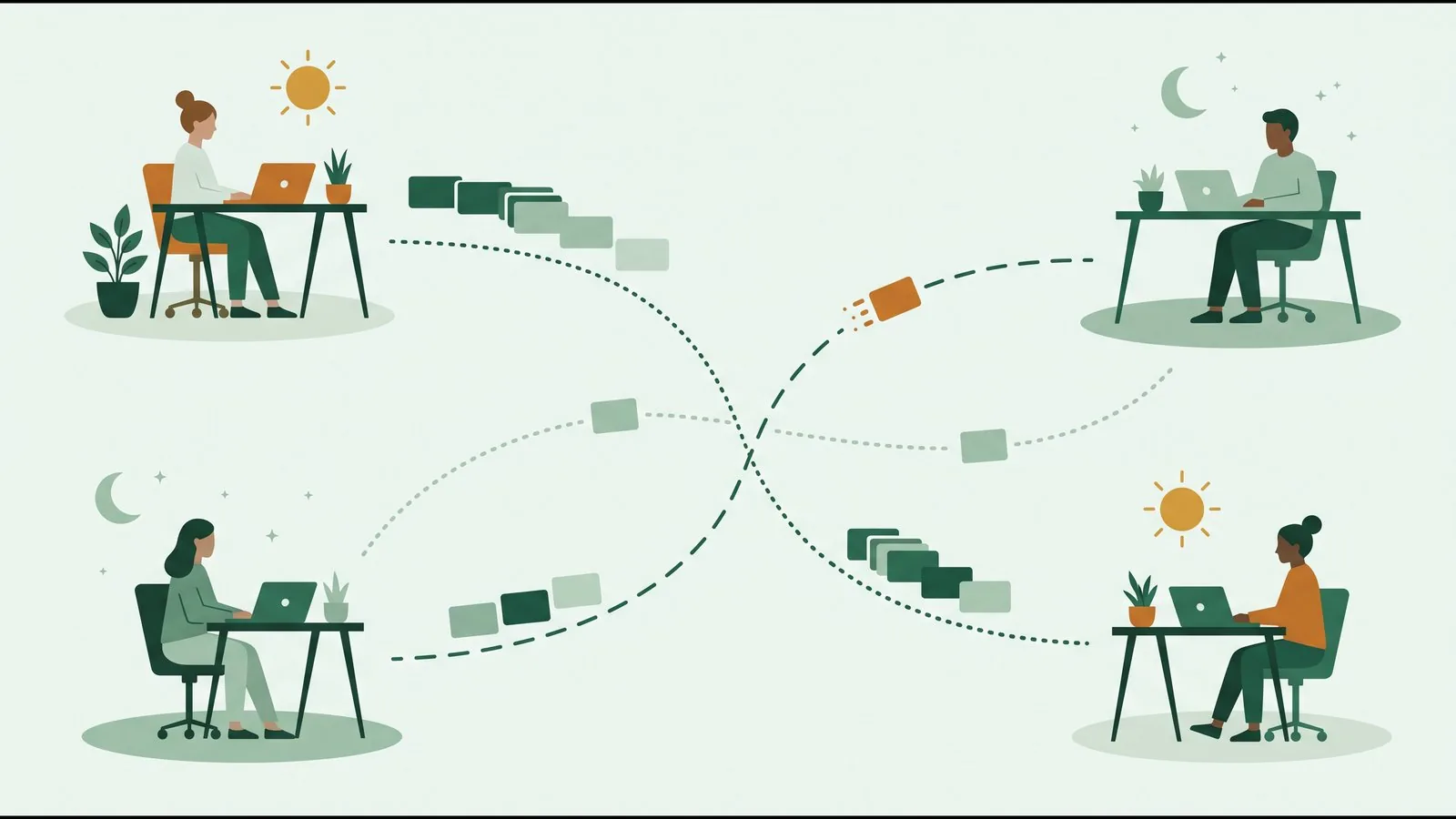
Asynchronous communication is any exchange where people don't have to be present at the same time: one person writes or records a message, and others read and reply when it suits their schedule. Email, task comments, shared documents and recorded walkthroughs are common examples. It lets remote teams across time zones keep working without constant interruptions.
What is asynchronous communication?
Asynchronous communication is communication with a gap between sending and replying. GitLab's handbook defines it simply: "Communicating async just means that the recipient of the message and the sender are unlikely to be in the same space at the same time" (GitLab Handbook, last modified June 24, 2026).
The gap is the point. It lets each person choose when to read and respond, so they can finish a stretch of focused work first. It also leaves a written record that anyone can find later.
The same gap is also the risk. The handbook adds that "If someone has a follow-up question, they may need to wait hours or days for a response." Good asynchronous communication is mostly about closing that risk: writing messages complete enough that nobody needs to ask.
Synchronous vs asynchronous communication: what is the difference?
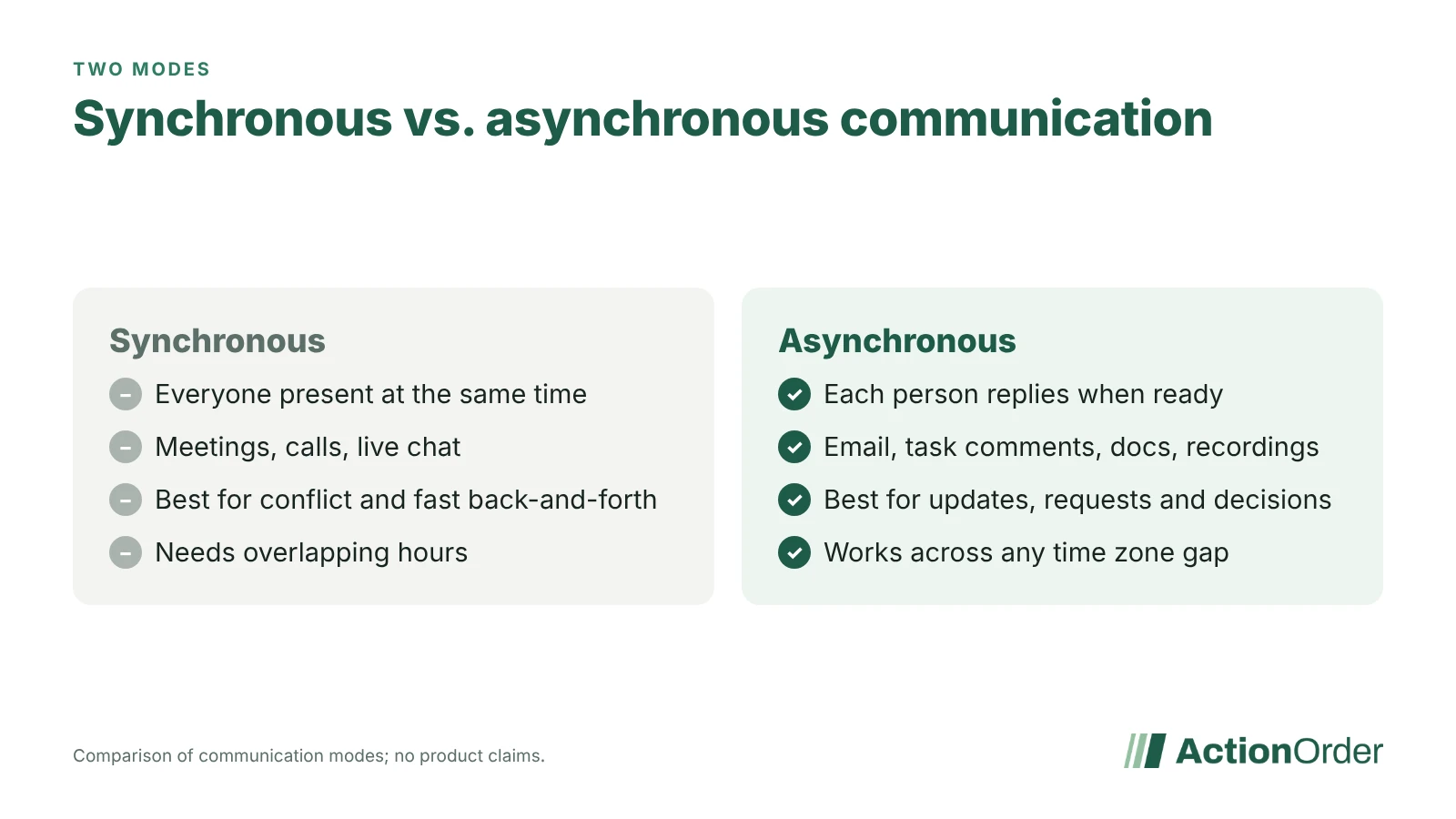
Synchronous communication happens live, with everyone present at once; asynchronous communication happens on each person's own schedule. Most teams need both, used for different jobs.
| Compared on | Synchronous | Asynchronous |
|---|---|---|
| Timing | Everyone present at the same time | Each person replies when ready |
| Reply expected | Within seconds or minutes | Within an agreed window, such as one working day |
| Examples | Meetings, phone and video calls, live chat | Email, task comments, documents, recorded videos |
| Best for | Conflict, sensitive topics, kickoffs, fast back-and-forth | Updates, requests, reviews, decisions with time to think |
| Poor fit for | Routine updates, anything people need to look up later | Emergencies and tense conversations |
| Time zones | Needs overlapping hours | Works across any gap |
| Focus | Interrupts whatever people were doing | Waits until people finish a block of work |
| Record | Only if someone takes notes | Written by default |
| Speed | Fast for a single answer | Slower for a single answer, often faster for the whole project |
| Main risk | Interrupts focused work | Slow answers when context is missing |
| What makes it work | An agenda, a decision and written notes | Complete messages, agreed reply times and an urgent lane |
A live chat app can be either. A message that expects an answer within a minute is synchronous in practice, even if it's typed. What makes communication asynchronous is the expectation about reply time, not the tool.
Sync or async? Ten common situations
| Situation | Use | Why |
|---|---|---|
| Weekly status update | Async | Nothing to decide, and reading is faster than listening |
| Outage or client-facing failure | Sync, through the urgent lane | Minutes matter; write a summary afterwards |
| Feedback on a design or document | Async | Comments on the file are specific and stay with the work |
| Difficult feedback for one person | Sync | Tone matters; write down what you agreed afterwards |
| A choice between options with a deadline | Async | A decision log entry with a recommendation and a date |
| Kickoff with a new client | Sync, after a written brief | Relationships and open questions; see the kickoff agenda |
| Handing work to the next time zone | Async | The next person starts while you sleep; use an end-of-day report |
| A question that blocks you today | Async, unless it meets your written definition of urgent | Keeps the urgent lane for real emergencies |
| Brainstorming | Async ideas first, then a short call | Written ideas first give quieter people a fair hearing |
| Onboarding a new teammate | Both | Documents to look things up, live time for questions |
Example: Alex's team had to choose a launch date for Northwind. Instead of a call across three time zones, Priya posted the options, her recommendation and a Thursday deadline in one thread. Jordan and Sam replied on their own schedules, Alex decided on Thursday, and the choice went into the decision log.
What are examples of asynchronous communication?
Common examples of asynchronous communication include email, comments on a task, shared documents, recorded video walkthroughs and threaded team chat with no expectation of an instant reply. Here are twelve, grouped by what they're for.
| Type | Examples |
|---|---|
| Updates | 1. Weekly status report. 2. End-of-day handoff note. 3. Written standup posted in a thread. |
| Requests | 4. Comment on a task asking for a review. 5. Email to a client with a question and a reply-by date. 6. Delegating a task with notes attached. |
| Decisions | 7. Decision thread with options, a recommendation and a deadline. 8. Comments on a proposal document. 9. Decision log entry. |
| Explanations | 10. Recorded screen walkthrough of a design. 11. Wiki or handbook page. 12. Project brief or handover document. |
Each one has three things in common: an owner, enough context to act without a call, and a clear sense of when a reply is due. For examples of the update formats, see the weekly status report template and the guide to async meetings.
What are the benefits and drawbacks of asynchronous communication?
The main benefit of asynchronous communication is fewer interruptions; the main drawback is slower answers. Which one wins depends on how well the team writes and how it handles urgent work.
Benefits:
Fewer interruptions. In Microsoft's analysis of anonymized Microsoft 365 signals through February 15, 2025, the top 20% of users by pings received were interrupted every 2 minutes on average across an eight-hour workday (Microsoft WorkLab, June 17, 2025).
Faster recovery of focus. In Iqbal and Horvitz's two-week field study of 27 people at the authors' organization, after an email alert users took on average 9 minutes and 33 seconds to return to any application they had suspended (Iqbal and Horvitz, CHI 2007). Batching replies means fewer of those trips.
Less stress. In a two-week experiment with 124 adults, Kushlev and Dunn found that "during the limited email use week, participants experienced significantly lower daily stress than during the unlimited email use week" (Kushlev and Dunn, Computers in Human Behavior, 2015). The limited week meant checking email three times a day.
Time zones stop mattering as much. Work moves while one person sleeps and another works.
A written record. Decisions and context can be found later instead of living in one person's memory.
Drawbacks:
Slower answers. A question can wait a full day for someone in another time zone.
Missing context. Short messages invite follow-up questions, and each one costs another round trip.
Weaker relationships. Text carries less warmth than a conversation, so teams that only write can drift apart.
Urgent issues get stuck. Without a defined urgent lane, emergencies wait in the same queue as everything else.
Attention is the resource at stake. Gloria Mark, a professor of informatics at the University of California, Irvine, told the American Psychological Association that "back in 2004, we found the average attention span on any screen to be two and a half minutes on average," and that in recent years "we found it to average about 47 seconds" (APA, Speaking of Psychology, February 2023). Every message that doesn't need a live reply is one less claim on that attention.
How do you make asynchronous communication work on a team?
Asynchronous communication works when the team writes down four rules and sticks to them: how fast to reply, where each kind of message goes, how to write a message, and what counts as urgent. Without those rules, people fill the gap with pings.
Agree response times by message type. For example: task comments within one working day, client emails within one working day, decision threads by their stated deadline. The full method is in write a response-time agreement instead of expecting instant replies.
Decide where each kind of message goes. Status lives on the task, decisions in a decision log, explanations in documents, and quick questions in threaded chat. One home per kind of message means nobody has to search four tools.
Set a writing standard. Put the ask in the first line, include links to the work, say what you need and by when, and give your recommendation. GitLab's test is a good one: "Does the person receiving this message have all the context they need?" (GitLab Handbook).
Create an urgent lane. Define urgent in writing, such as a client-facing outage or a deadline today, and give it one channel, such as a phone call or a direct page. Everything else waits for the normal reply time.
Choosing the channel comes down to two questions: how urgent is it, and how complex is it?
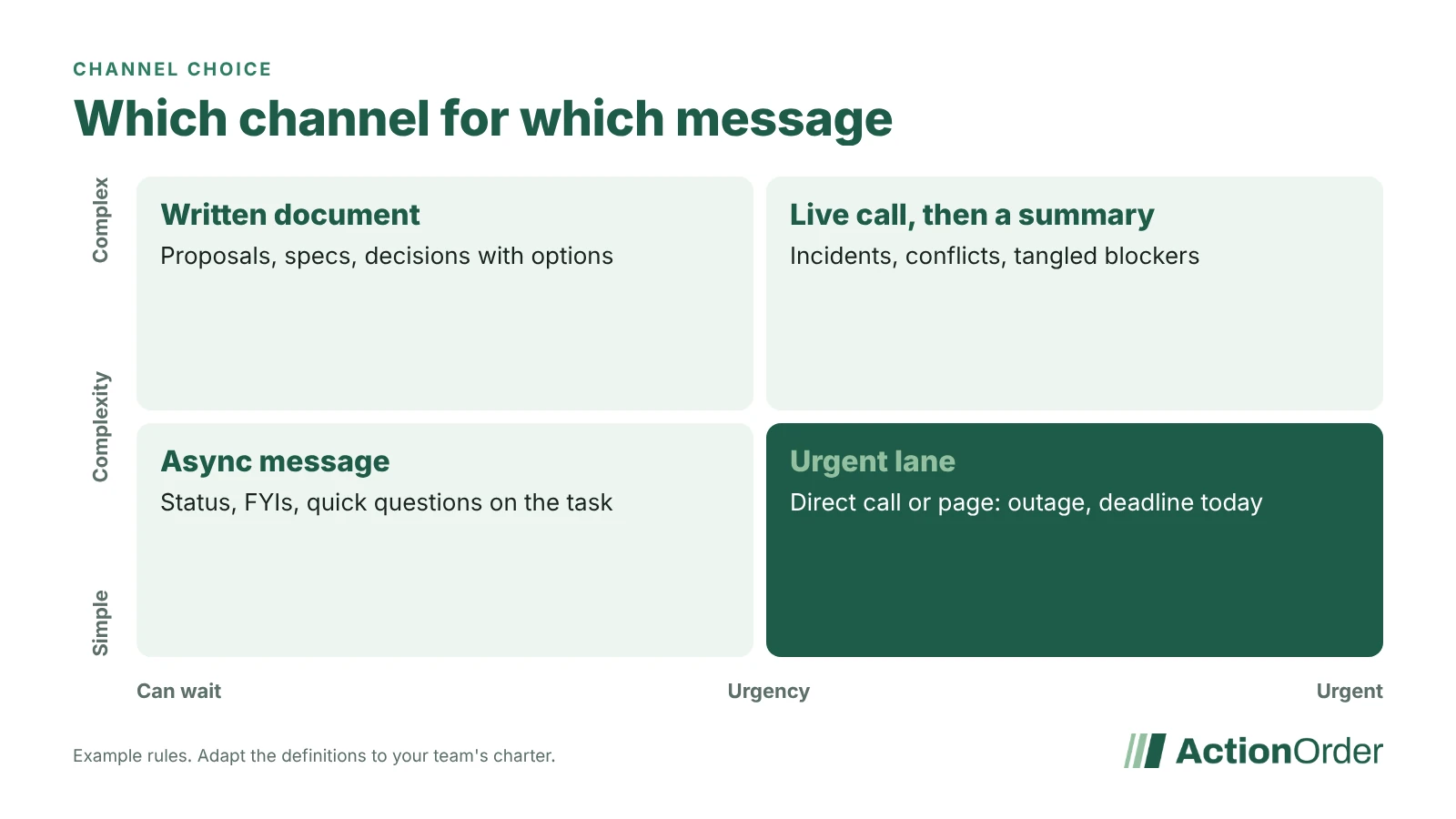
The pattern is simple. Simple, non-urgent messages go async. Complex, non-urgent topics go to a written document first. Urgent, simple issues go to the urgent lane. Urgent and complex problems get a live call, followed by a written summary.
Protecting focus is the other half of the job. For team-level focus rules, see protect focus on a remote team without another meeting policy.
Async team charter: a one-page template
An async team charter is a single page that writes down how your team communicates. Copy the filled example below and change the values to fit your team.
Example: the charter Alex's 9-person delivery team uses with the client Northwind.
| Rule | What the team agreed |
|---|---|
| Default mode | Async first. Live calls are for conflict, sensitive topics, kickoffs and urgent problems. |
| Working hours | Each person posts their hours and time zone in their profile. Nobody is expected to reply outside them. |
| Response times | Task comments and internal questions: one working day. Northwind emails: one working day, with Priya copied. Decision threads: by the deadline in the first line. |
| Where things go | Status on the task. Decisions in the decision log. Explanations and specs in the shared drive. Quick questions in the team chat, one thread per topic. |
| Writing standard | First line says what you need and by when. Link to the task. Give a recommendation, not only a question. |
| Urgent lane | Urgent means a client-facing outage, a security issue, or a deadline today at risk. Call Alex directly. Everything else waits. |
| Handoffs | End-of-day note when work changes hands across time zones. Notes live on the task. |
| Meetings | One 30-minute live call every other week for decisions and relationships. Agenda posted two days ahead. |
| Review | The team reviews this charter every quarter. |
Keep it to one page. If a rule needs more than two sentences, it belongs in a separate document linked from the charter.
What are the best asynchronous communication tools?
The best asynchronous communication tools are the ones your team already uses, set up so each kind of message has one home. Most teams need five categories.
| Tool category | Used for |
|---|---|
| Project or task management tool | Status, owners and comments on the work itself |
| Threaded team chat | Quick questions and discussion, one thread per topic |
| Shared documents or wiki | Specs, proposals, the decision log and the team charter |
| Screen and video recording tool | Walkthroughs of designs, demos and complex changes |
| Clients and people outside the team |
Adding tools rarely fixes async problems. Atlassian's survey of 12,000 knowledge workers and 200 executives found that "leaders and teams waste 25% of their time just searching for answers" (Atlassian, State of Teams 2025). Fewer places to look usually helps more than another app.
How ActionOrder handles this
ActionOrder, an efficiency and accountability tool for managers of remote teams, is built for teams that work asynchronously. It reads the tools your team already uses and gives each person one clear next step at a time, already prepped with context, analysis, research and a first draft. Starting a card holds focus, and new cards queue behind it. Only items a manager marks urgent, and items due today, get through, as a small bar. That gives the team an urgent lane without constant pings. Nothing runs in the background.
Join the waitlist. ActionOrder is in pre-launch.
Questions people ask
Is email synchronous or asynchronous?
Email is asynchronous: the sender doesn't expect the reader to be present, and the reader replies when ready. It becomes synchronous in practice when a team expects replies within minutes. Set a reply time for email in your team's response-time agreement, and use a call or the urgent lane for anything that can't wait that long.
Is team chat asynchronous communication?
Team chat apps can be either, depending on how a team uses them. Threaded messages that people answer within a working day are asynchronous. Rapid back-and-forth, or messages that expect a reply within minutes, are synchronous. The difference is the expected reply time, so write that expectation into your team charter.
What are examples of synchronous communication?
Meetings, phone and video calls, in-person conversations and live chat that expects an instant reply are all synchronous: everyone takes part at the same time. They suit conflict, sensitive topics, kickoffs and urgent problems. Follow each one with a short written summary so people who weren't there can catch up.
What is async collaboration?
Async collaboration is working together on the same project without needing to be online at the same time. People leave comments on documents, update task status, record walkthroughs and make decisions in threads with deadlines. It depends on shared places for the work and on messages complete enough that the next person can act without a call.
Does asynchronous communication slow teams down?
It can slow down individual answers, because a reply may take hours instead of seconds. It often speeds up the work as a whole, because people get longer stretches of focus and spend less time in meetings. Teams lose speed when messages lack context or when there's no urgent lane for real emergencies.
How do you start moving a team to async communication?
Start with one routine meeting, such as a weekly status call, and replace it with a written update for four weeks. Write down response times and an urgent lane before you start. At the end, ask what was missed, adjust the rules, then move the next meeting or habit.
Sources
- Asynchronous communication for remote workGitLab Handbook, last modified June 24, 2026 (archived copy, July 15, 2026; GitLab has since removed the page)
- Breaking down the infinite workdayMicrosoft WorkLab, Work Trend Index, June 17, 2025
- Shamsi T. Iqbal and Eric Horvitz. "Disruption and Recovery of Computing Tasks: Field Study, Analysis, and Directions." CHI 2007, April 28 to May 3, 2007
- Kostadin Kushlev and Elizabeth W. Dunn. "Checking email less frequently reduces stress." Computers in Human Behavior 43 (2015), 220 to 228
- Why our attention spans are shrinking, with Gloria Mark, PhDSpeaking of Psychology, American Psychological Association, February 2023
- State of Teams 2025Jay Hoffmann, Atlassian, accessed Nov 11, 2026 (the page shows no publication date)