Team Meeting Agenda Template for Remote Teams
A team meeting agenda template for weekly team and staff meetings: decisions, blockers and one discussion, with updates read beforehand.
A team meeting agenda template is a fixed outline for a recurring team or staff meeting: the decisions to make, the blockers to clear and the updates people read beforehand. Send it a day ahead, keep status updates in writing, and spend the meeting on decisions, discussion and an owner for each next step.
Team meeting agenda template
Post it a day ahead with links. 40 minutes for a team of up to about ten.
Team meeting: [team], [date], [length] minutes
Facilitator: [name] · Notes: [name]
Read before the meeting
[Link to written updates: what moved, what's stuck, what's next]
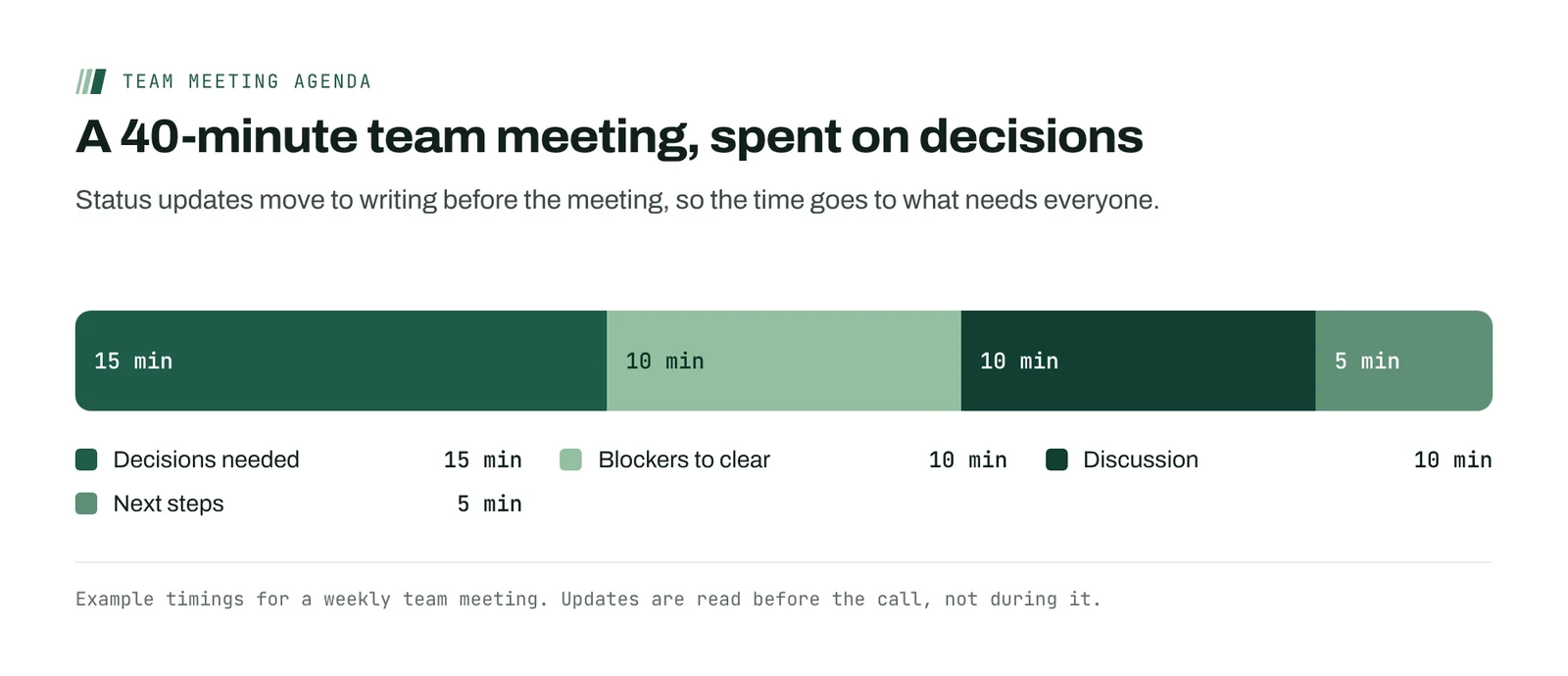
1. Decisions needed (15 min)
[Decision] · Owner: [name] · Options: [link]
2. Blockers to clear (10 min)
[Item], waiting on [person or thing] since [day]
3. Discussion (10 min)
[One topic that needs the whole team, and its goal: decide, agree or explore]
4. Next steps (5 min)
[Action] · Owner: [name] · By: [date]
Parked for later
[Topics that came up but don't need everyone]
What goes on a weekly team meeting agenda?
A weekly team meeting agenda should carry decisions, blockers and one discussion topic, in that order. Updates go in writing before the meeting, so nobody spends the call reading out their week.
The same template works as a staff meeting agenda. Four rules keep it useful:
Every item has an owner and a goal. "Holiday rota: agree who covers which days" beats "holidays."
Every block has a time. When time runs out, the item moves to the thread or the next meeting.
The agenda goes out 24 hours ahead. People in other time zones can add items or settle them in writing.
An empty agenda cancels the meeting. No decisions, blockers or discussion means no meeting this week.
A filled team meeting agenda example
Example: Taylor is head of support and operations. Morgan, the support lead, facilitates the team's weekly meeting.
Example: support and operations weekly meeting
Posted in the team channel on Friday
Team meeting: Support and operations, Monday, 40 minutes
Facilitator: Morgan · Notes: Taylor
Read before the meeting
Friday's updates thread: refund backlog, new macros, weekend rota.
1. Decisions needed (15 min)
Raise the agent refund approval limit, or add a finance reviewer? · Owner: Taylor · Options: linked doc
2. Blockers to clear (10 min)
Help-center rewrite, waiting on product screenshots since Wednesday.
3. Discussion (10 min)
Covering the holiday week with two people out. Goal: agree a rota.
4. Next steps (5 min)
Taylor: decide the approval limit · By: Tuesday
Morgan: draft the holiday rota · By: Thursday
Parked for later
A new tagging scheme for tickets.
How do you run a team meeting async?
Move updates into writing, settle what you can in the thread, and keep the call for decisions that need everyone.
Post the agenda a day ahead. Put it in the team channel or doc, with links to anything people should read.
Collect updates in writing by a set time. People read them before the meeting instead of hearing them during it.
Settle what you can in the thread. If a decision gets agreement in writing, take it off the agenda.
Write the notes for the people who weren't there. Decisions and owners go at the top, posted the same day.
Rotate the meeting time across time zones. The same people shouldn't always join at night.
For a full replacement of the status meeting, see how to replace a status meeting with an async thread.
Fill in the team meeting agenda online
Type in the fields and the agenda builds below as you type, ready to paste into your team channel. Nothing you type is stored or sent anywhere.
Your team meeting agenda
Builds as you type. Nothing is stored or sent.
Your filled-in template appears here as you type.
How ActionOrder handles this
ActionOrder, an efficiency and accountability tool for managers of remote teams, takes the status round out of the team meeting. It reads the tools your team already uses and ranks each person's work by urgency, impact, shared priorities, effort and what it unblocks. Every card has one owner and a status, and people set "stuck" themselves, so blockers are visible before anyone joins the call. On Pro, a Friday recap shows what moved and what's stuck: most of the "read before" section, written from the work.
Join the waitlist. ActionOrder is in pre-launch.
Questions people ask
How long should a weekly team meeting be?
Thirty to 45 minutes for a team of up to about ten people, as long as updates are written beforehand. If it regularly needs more, give the discussion its own meeting.
What is the difference between a staff meeting and a team meeting?
Mostly the audience. A staff meeting usually brings together everyone who reports to one leader, often across teams. A team meeting is one team working on shared work. The agenda works the same way for both: decisions, blockers, discussion and next steps.
Who should run the team meeting?
The manager owns the agenda, but anyone can facilitate. Rotating the facilitator and note taker spreads the work and keeps it from becoming the manager's status report.
What should team meeting notes include?
The decisions made, each next step with an owner and a date, and anything parked. Post them where the agenda lives within a few hours, so people who missed the call can act on them.