End-of-Day Report Template for Remote Teams
An end-of-day (EOD) report tells the next person what you finished, what is stuck and what to pick up. Copy the four-line template, fill it in with the form, and see five examples.
An end of day report is a short note someone writes before logging off that tells the next person what finished, what is stuck, what is being handed off and what comes first tomorrow. On a remote team it works best as four lines, written for whoever picks up the work while you're offline.

What is an end-of-day report?
An end-of-day report (often shortened to EOD report) is a written handoff at the close of someone's working day. Its reader is the person who will touch the work next, not the person checking that work happened.
That difference matters most on async teams. GitLab's handbook on asynchronous work puts the problem plainly: "If someone has a follow-up question, they may need to wait hours or days for a response" (GitLab Handbook, last modified June 24, 2026). When the next person is asleep while you work, a missing detail costs a full day. A good end-of-day report answers the follow-up question before anyone has to ask it.
Three kinds of team get the most from it:
Teams that hand work across time zones, where one person's evening is another's morning.
Contractors paid by the hour, whose clients want to see what moved without a call.
New hires in their first weeks, whose buddy or manager can catch a wrong turn early.
On a team where everyone works the same hours on their own tasks, a weekly status report usually does the job better.
What should an end-of-day report include?
An end-of-day report should include four lines: what you finished today, what is stuck, what you are handing off and to whom, and the first thing you'll do tomorrow. Keep it to five lines at most.
| Line | What to write | Why the next person needs it |
|---|---|---|
| Done today | Finished items, each linked to its task | So nobody redoes or re-checks them |
| Stuck | The item, what it's waiting on, since when | So someone awake can unblock it |
| Handing off | The item, who picks it up, where the notes are | So the work keeps moving overnight |
| First thing tomorrow | The one item you'll start with | So others can plan around it |
Each line answers a question the next person would otherwise send you at a time you can't reply. GitLab's handbook suggests a test before sending any async message: "Does the person receiving this message have all the context they need?" (GitLab Handbook). Read your report once with that question in mind.
What to leave out matters as much. An end-of-day report is never a time-accounting report. Don't list hours, meetings attended or messages answered. If your team needs time records for billing or payroll, keep them in the time log, tied to tasks.
EOD report template (copy this)
Copy this template into your team channel, a recurring task or a shared doc. Post it in the same place every day so the next person knows where to look.
| Line | Your update |
|---|---|
| End of day | [Your name], [day and date] ([your time zone]) |
| Done today | [Item, linked]; [item, linked] |
| Stuck | [Item], waiting on [person or thing] since [day]. Write "Nothing stuck" if clear. |
| Handing off | [Item] to [name]: [what to do next]; notes at [link] |
| First thing tomorrow | [One item] |
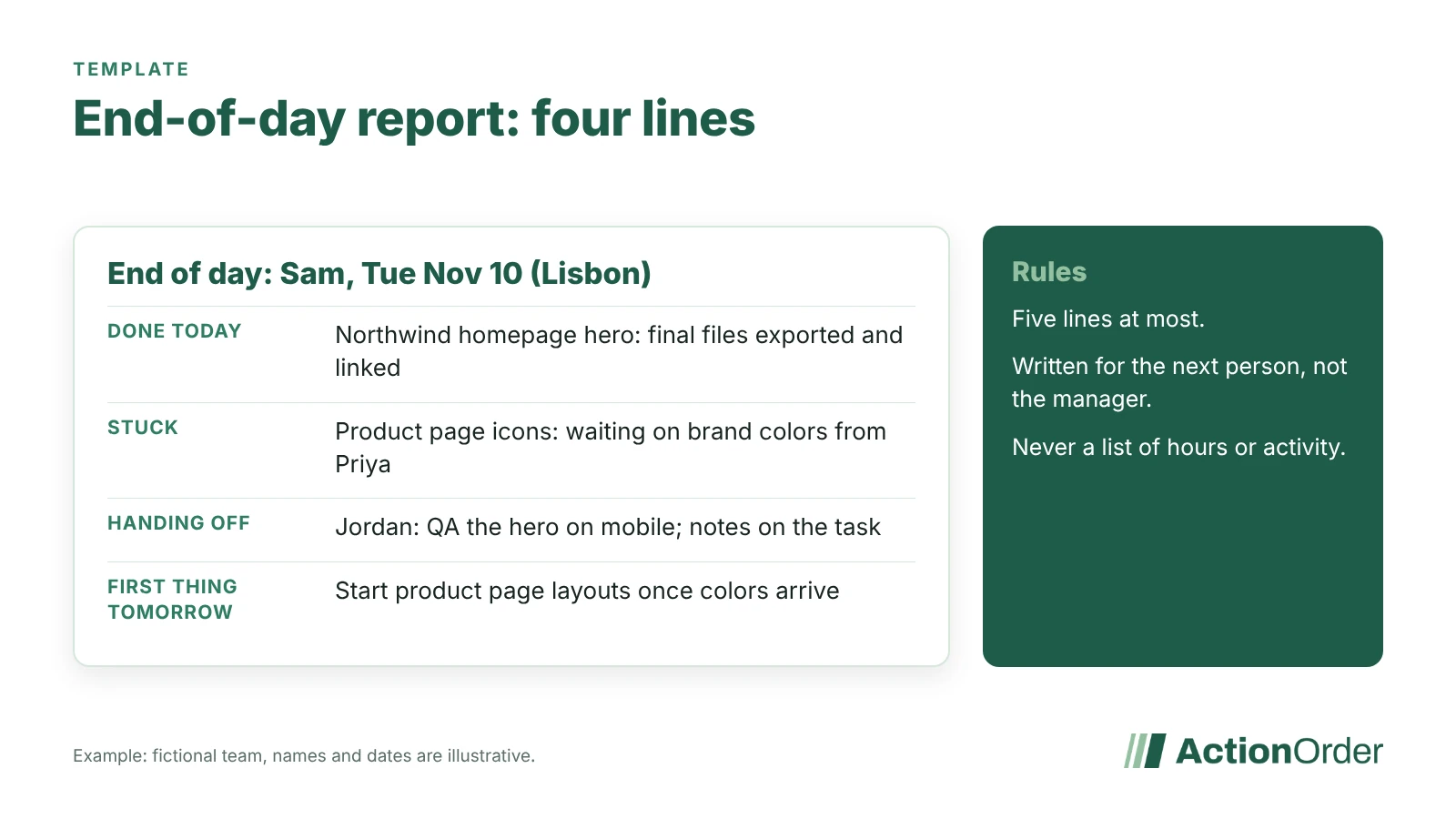
Example: a design handoff across time zones. Sam, a designer in Lisbon, hands work to Jordan, the QA lead, who starts as Sam signs off.
| Line | Update |
|---|---|
| End of day | Sam, Tue Nov 10 (Lisbon) |
| Done today | Northwind homepage hero: final files exported and linked on the task. |
| Stuck | Product page icons, waiting on brand colors from Priya since this morning. |
| Handing off | Jordan: QA the hero on mobile; notes and test links on the task. |
| First thing tomorrow | Start product page layouts once the colors arrive. |
Example: a support shift handing the queue to the next region. Morgan, the support lead, closes the day for the team.
| Line | Update |
|---|---|
| End of day | Morgan, Wed Nov 11 (Chicago) |
| Done today | Cleared all urgent tickets; new refund macro live. |
| Stuck | Two refund requests over the agent approval limit, waiting on finance since Monday. |
| Handing off | Overnight agent: watch the login-error thread and reply with the workaround linked on the task. |
| First thing tomorrow | Ask Taylor for a decision on the refund approval limit. |
Example: closing the day on a client project. Priya, the account lead, closes the day on the Northwind account.
| Line | Update |
|---|---|
| End of day | Priya, Thu Nov 12 (Toronto) |
| Done today | Northwind approved the homepage; launch checklist shared on the task. |
| Stuck | Product page copy, waiting on Northwind's legal review since Tuesday. |
| Handing off | Alex: confirm the launch date with Northwind's marketing lead; thread linked on the task. |
| First thing tomorrow | Send Northwind the QA summary once Jordan posts it. |
Hours go to the client from the time log, not the report; see billable hours tracking.
Example: QA at the end of a release day. Jordan, the QA lead, leaves test results for Sam's morning.
| Line | Update |
|---|---|
| End of day | Jordan, Mon Nov 16 (UTC) |
| Done today | Regression suite on staging: 41 of 42 checks pass; results on the task. |
| Stuck | Checkout test in Safari, waiting on a test account from Northwind since Friday. |
| Handing off | Sam: two layout bugs on the product page; screenshots on the task. |
| First thing tomorrow | Retest checkout when the test account arrives. |
Example: a manager's EOD report. Alex posts one on days the team needs his decisions before his next morning.
| Line | Update |
|---|---|
| End of day | Alex, Tue Nov 17 (Denver) |
| Done today | Approved the Northwind launch plan; moved the blog redesign to next week (reason in the decision log). |
| Stuck | Extra QA hours for launch week, waiting on Taylor's approval since Friday. |
| Handing off | Priya: tell Northwind the new blog date. Jordan: start the launch test plan. |
| First thing tomorrow | Re-rank next week's list with the blog redesign on it. |
All five examples are fictional. Notice that none of them describes effort. Each line is about an item and what happens to it next.
When the end of your day is also a handoff to a teammate in another time zone, the playbook’s async handoff note covers what the next person needs.
End-of-day status report form
Use this end-of-day status report form to write the four lines, then copy the text into your team channel, task or email. Nothing you type is stored or sent.
Fill in today's EOD report
The report below fills itself in as you type.
Your EOD report
Left empty, it's the blank template.
Turn on JavaScript to fill in the report here, or copy the template above.
Daily or weekly: which report does your team need?
Use an end-of-day report when work changes hands every day; use a weekly status report when each task has one owner for days at a time. Most teams need one or the other, not both from the same person.
| Question | Points to daily | Points to weekly |
|---|---|---|
| Does someone pick up this person's work while they're offline? | Yes, most days | Rarely |
| Do tasks usually finish within a day or two? | Yes | No, they run for a week or more |
| Is the person new to the team or the work? | Yes, in the first few weeks | No |
| Does the client or manager act on daily changes? | Yes | No, they review weekly |
| Would a stuck item cost a full day if nobody saw it tonight? | Yes | No |
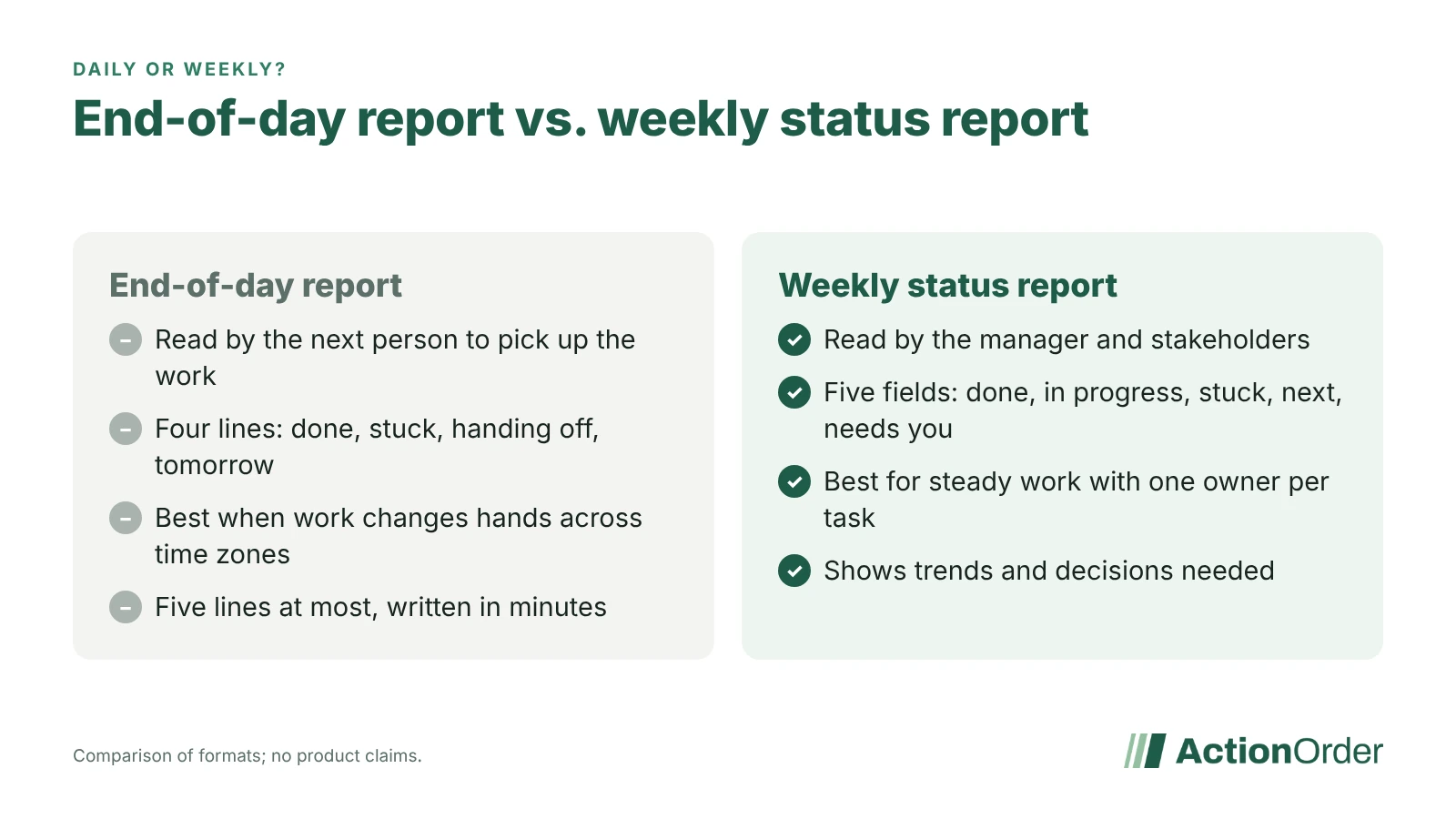
Three or more answers in the daily column point to an end-of-day report. Otherwise, use the weekly status report template and drop the daily one.
Review the choice after four weeks. Ask one question: did anyone act on the reports? If the answer is no, the report is costing the writer time and giving the reader nothing. Drop it or switch formats.
Daily reports also have a cost the writer doesn't see. In Microsoft's analysis of anonymized Microsoft 365 signals through February 15, 2025, the top 20% of users by pings received were interrupted every 2 minutes on average across an eight-hour workday (Microsoft WorkLab, June 17, 2025). A report nobody needs is one more ping in that stream.
Are daily reports micromanagement?
A daily report becomes micromanagement when its purpose is to prove that someone worked, and stays useful when its purpose is to keep the work moving. The test is who reads it and what they do next.
Signs a daily report has turned into surveillance:
It asks for hours, start and stop times, or a list of activities.
Only the manager reads it, and nobody acts on it.
People get questions about what they didn't list, not about what's stuck.
It's required of some people but not others doing the same work.
The pull toward checking is real. In Microsoft's survey of 20,006 knowledge workers in 11 countries in July and August 2022, 87% of employees said they were productive at work, while 85% of leaders said hybrid work made it challenging to have confidence that employees were productive (Microsoft Work Trend Index, Sept 22, 2022). A report that asks for proof of effort widens that gap. A report that names what's stuck and who picks up what gives the manager something to act on instead.
If you're the manager, answer every Stuck line within one working day and say nothing about the rest unless something looks wrong. For more on replacing checking with agreed signals, see how to stop micromanaging a remote team.
How do you write an end-of-day report quickly?
Write it from your task list in five minutes, before you close your laptop. If it takes longer, the information lives in your head instead of on the tasks.
Open today's tasks. Look at what changed status since this morning.
Copy the finished ones into Done today. Link each one.
Mark anything blocked as stuck on the task itself, then copy it into the report with what it's waiting on.
Write the handoff on the task, then name the person and link the notes in the report.
Pick one item for tomorrow. One, not a list.
Writing notes on the task, not only in the report, helps the whole team later. Atlassian's survey of 12,000 knowledge workers and 200 executives found that "leaders and teams waste 25% of their time just searching for answers" (Atlassian, State of Teams 2025). Notes that live with the work are easier to find than notes buried in a daily thread. For longer handoffs, such as before a vacation, use a full handover document template.
How ActionOrder handles this
ActionOrder, an efficiency and accountability tool for managers of remote teams, keeps the handoff on the work itself. It reads the tools your team already uses and gives each person one clear next step at a time. To hand off, you delegate a card to a teammate with its prep and a note, and the card comes back when it's done or handed back. Every card has one owner and a status: done, in progress, waiting or stuck, and people set "stuck" themselves. On Pro, the team view shows each card's owner and status, and a Friday recap shows what moved, what's stuck and what needs the manager. Nothing runs in the background.
Join the waitlist. ActionOrder is in pre-launch.
Questions people ask
What does EOD report mean?
EOD stands for end of day. An EOD report is a short written update sent at the close of a working day, covering what got done, what's stuck and what happens next. On remote teams it is mainly a handoff to whoever works next. Teams also call it a daily status report or an end-of-shift note.
What time should an end-of-day report be sent?
Send it at the end of your own working day, before you log off, so it's waiting when the next person starts. On teams that hand work across time zones, agree a cutoff, such as one hour before the overlap window closes, so a stuck item can still get a quick answer from someone awake.
Should an end-of-day report include hours worked?
No. Hours belong in a time log tied to tasks, not in a handoff note. Mixing the two turns the report into proof of effort, which pushes people to list activity instead of outcomes. If a task is running well over its estimate, say so in the Stuck line as a risk, not as a count of hours.
What if I didn't finish anything today?
Say so, and say why. Example: "Done today: nothing finished; the data import is 70% through and resumes at 9 am." That is a useful report. Days without a finished item are common on long tasks. The report's job is to show where the work stands and what's next, so the next person isn't surprised.
What is the difference between an EOD report and a daily standup?
A daily standup plans the day ahead; an EOD report closes the day and hands work to whoever works next. Most people need one, not both. The daily standup template has the start-of-day version.
How do you send an EOD report by email?
Use the same subject line every day, such as "EOD report: Sam, Tue Nov 10", paste the four lines as the body, and keep it in one thread so the history stays together.
Should managers reply to every end-of-day report?
No. Reply to every Stuck line and every handoff that needs a decision, ideally within one working day. Leave the rest alone unless something looks wrong. A thumbs-up on every report trains people to write for approval. A fast answer on stuck work trains them to raise problems early.
Sources
- Asynchronous communication for remote workGitLab Handbook, last modified June 24, 2026 (archived copy, July 15, 2026; GitLab has since removed the page)
- Breaking down the infinite workdayMicrosoft WorkLab, Work Trend Index, June 17, 2025
- Hybrid Work Is Just Work. Are We Doing It Wrong?Microsoft WorkLab, Work Trend Index, Sept 22, 2022
- State of Teams 2025Jay Hoffmann, Atlassian, accessed Nov 11, 2026 (the page shows no publication date)