Status Update Email Template for Projects and Clients
Tell clients, managers and stakeholders where a project stands in under 200 words, with the status in the subject line and requests they can’t miss.
A status update email template is a fixed format for telling stakeholders where a project stands without a meeting: a subject line with the project, date and status, then the bottom line, what’s done, what’s next, the risks and anything you need from the reader. Keep it under 200 words and send it on the same day each week.
Status update email template (copy this)
Copy the template into a new email or a saved draft. Use it as a project update email template for clients, managers and other teams.
Status update email
Same five parts every time. Under 200 words.
Subject: [Project] status, [date]: [On track, At risk or Off track]
Hi [name or team],
Bottom line: [One sentence: where the project stands and whether anything changed.]
Done since the last update
• [Outcome, with a link]
Next, by [date]
• [Outcome]
Risks or blockers
• [Risk], and what we’re doing about it. Or “None.”
Need from you
• [Decision or input] by [date]. Or “Nothing this week.”
Full details: [link to the plan or report]
[Your name]
To fill it in by hand, download the printable status update email template (PDF).
How to write each part
Write for a reader who will skim. Each part has one job.
| Part | What to write | Avoid |
|---|---|---|
| Subject line | Project, date, and on track, at risk or off track | “Weekly update” with no status |
| Bottom line | Where it stands and what changed, in one sentence | Starting with background |
| Done and Next | Outcomes, each linked, with a date for Next | Activity, such as “had three calls” |
| Risks or blockers | The risk, its cause and what you’re doing | Hiding a risk in the Done list |
| Need from you | A decision or input, with a date | Requests without a deadline |
Your update lands in a crowded inbox. Microsoft, which makes Outlook, found in anonymized Microsoft 365 data that the average worker receives 117 emails a day, “most of them skimmed in under 60 seconds” (Microsoft WorkLab, June 17, 2025). That’s why the status goes in the subject line and the bottom line goes first.
Status update email examples
Example: two updates from the same template. The first carries bad news; the second says the plan hasn’t changed.
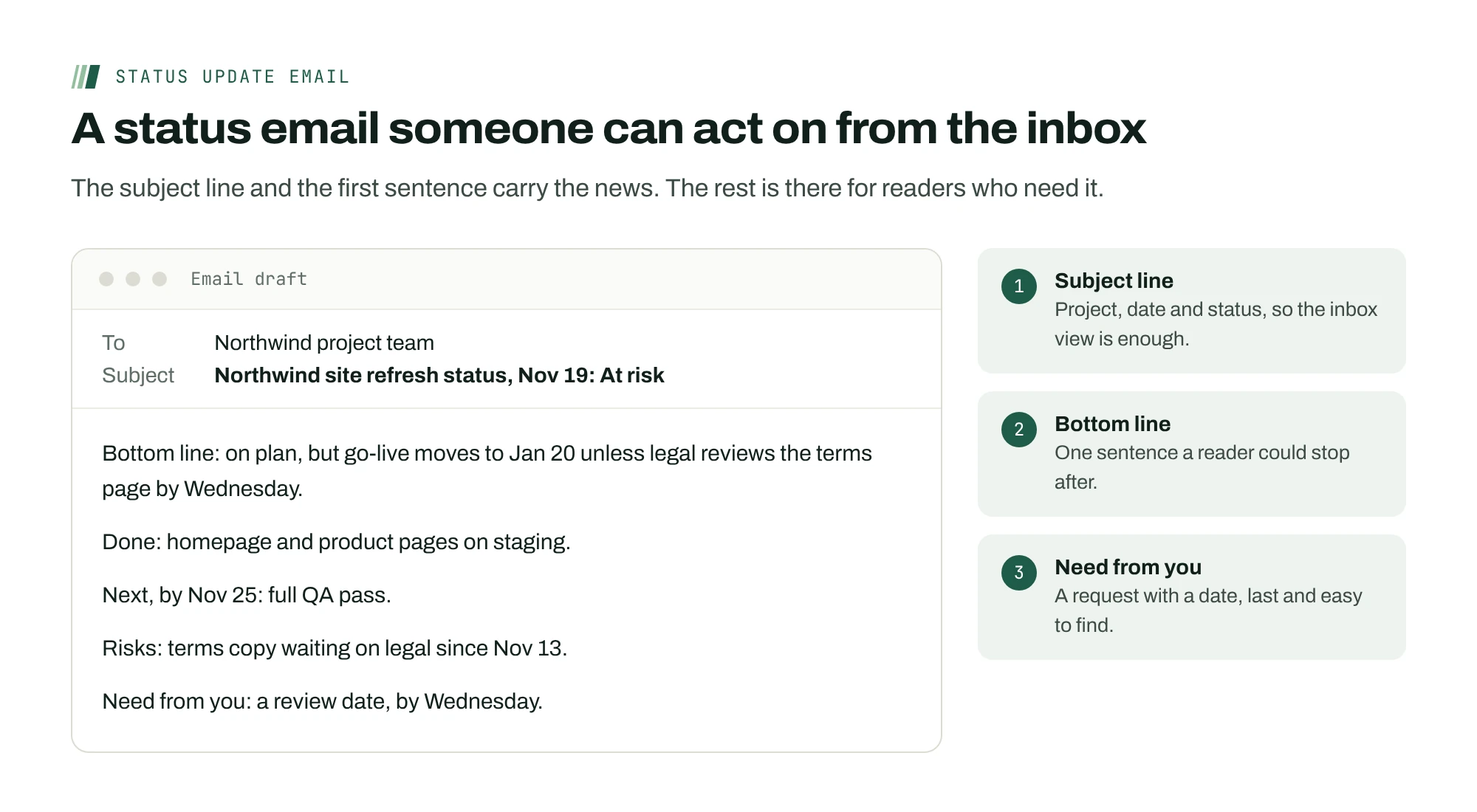
Example: to a client, at risk
Priya, the account lead, writes to Northwind.
Subject: Northwind site refresh status, Nov 19: At risk
Hi Northwind team,
Bottom line: the build is on plan, but go-live moves from Jan 15 to Jan 20 unless we get your legal review of the terms page by Wednesday.
Done since the last update
• Homepage and product pages built and on staging (link)
Next, by Nov 25
• Full QA pass; fixes from your homepage comments
Risks or blockers
• Terms page copy has been waiting on your legal team since Nov 13.
Need from you
• A date for the legal review, by Wednesday.
Full details: project plan (link)
Priya
Example: to a manager, on track
Jordan, the QA lead, writes to Alex.
Subject: Onboarding flow status, Nov 19: On track
Hi Alex,
Bottom line: on plan for the release candidate on Nov 25. No change since last week.
Done since the last update
• 42 test cases written; sign-up screens tested
Next, by Nov 25
• Regression run; accessibility check
Risks or blockers
• None.
Need from you
• Nothing this week.
Jordan
The at-risk email names the cost of the delay and the date that avoids it. That gives the reader a reason to act this week.
How to send status updates async
An update replaces a meeting only if readers can trust it to arrive and to be complete.
Send it on the same day each week, even when nothing changed. Silence reads as trouble.
Write it from the task list, not from memory, so the item that has waited since Monday makes it in.
Send it to the people who act on it. Everyone else can find it in a shared folder or channel.
Answer every “Need from you” you receive within one working day, or people stop trusting the format.
For your own team, the weekly status report template covers the internal version, and chapter 3 of the playbook shows how to make status come from the work.
Fill in your status update email here
Fill in your status update email
Type in the boxes and the text below fills itself in. Nothing you type is stored or sent anywhere.
Your status update email
Updates as you type. Copy it when it looks right.
Turn on JavaScript to fill in the template here, or copy the template above.
Where ActionOrder fits
ActionOrder, an efficiency and accountability tool for managers of remote teams, reads the tools your team already uses and gives each person one clear next step at a time, already prepped with context, analysis, research and a first draft. If a status email is someone’s next step, they review the draft and send it themselves: integrations are read-only, so ActionOrder never sends, posts or changes anything in them.
Join the waitlist. ActionOrder is in pre-launch.
Questions people ask
How often should you send a status update email?
Weekly suits most projects. Send daily only during a launch or an incident, and every two weeks for slow-moving work. Pick a day and keep to it.
What should the subject line of a status update email say?
The project, the date and the status, for example “Northwind site refresh status, Nov 19: At risk.” A reader should know whether to open it from the inbox view alone.
Should you send a status update when nothing changed?
Yes. Keep the five parts, one short line each: “No change since Nov 12: still waiting on legal review.” A missing update makes readers assume the worst, and they start asking for meetings.
Sources
- Breaking down the infinite workdayMicrosoft WorkLab, Work Trend Index, June 17, 2025