Eisenhower Matrix Template and Definition
A plain definition of the Eisenhower matrix, where it comes from, a copyable Eisenhower matrix template and a worked example for a remote team.
The Eisenhower matrix is a two-by-two grid that sorts tasks by whether they are urgent and whether they are important, giving four boxes: do now, schedule, hand off and drop.
Urgent means a task needs attention soon. Important means it moves a goal that matters. Plenty of urgent work is unimportant, and important work rarely feels urgent until it is late. An Eisenhower matrix template is the four boxes written down with room for an owner and a date.
Copy this template into your team’s shared doc:
Eisenhower matrix template
One line per task. Sort at a set time each week.
Urgent means: [your team’s definition, in one line]
1. Do now (urgent, important)
[Task], [owner], done by [date]
2. Schedule (important, not urgent)
[Task], [owner], [date]
3. Hand off (urgent, not important)
[Task], new owner [name], note: [what they need]
4. Drop (neither)
[Task], reason: [why], review on [date]
Where the term comes from
The matrix is named for Dwight D. Eisenhower. In his address to the Second Assembly of the World Council of Churches in Evanston, Illinois, on August 19, 1954, he made a point “by quoting the statement of a former college president”: “I have two kinds of problems, the urgent and the important. The urgent are not important, and the important are never urgent.” He called it “a dilemma of modern man.”
Eisenhower described two kinds of problems, not a grid. FranklinCovey, which sells training courses, teaches the idea as “The Four Quadrants of Time Management” under Habit 3 of The 7 Habits of Highly Effective People, and points at the box people neglect: “The best return we can get on our time is to spend it on things which aren’t urgent but are important.”
How to use the matrix on a remote team
Across time zones, every message marked “urgent” tends to land in do now, because nobody can lean over and ask how urgent it is. Fix the inputs before you sort.
Define urgent in writing. One line at the top of the template: a client deadline today, a teammate blocked, or a production problem. Nothing else counts, however the message is worded.
Sort at a set time. Sort at the start of the earliest time zone’s week, so later zones wake up to a finished order.
Name an owner in every box. A hand-off item without a name stays with you.
Cap “do now” at one item per person. If someone has three, your definition of urgent is too loose.
For the team-wide version, read how to set priorities for a remote team; for the wider model, see how to manage a remote team.
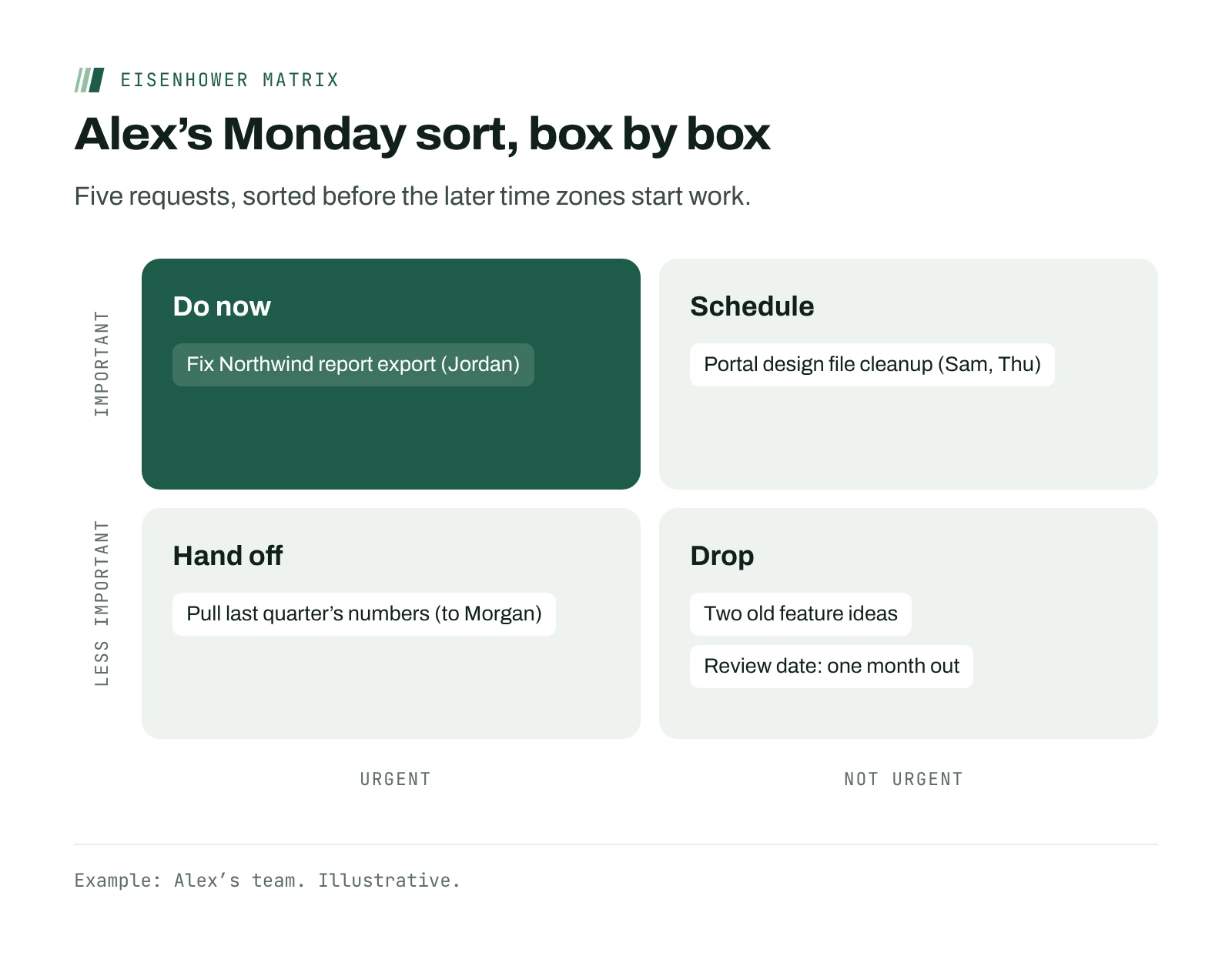
Example: Alex sorts a Monday backlog
Example: Alex manages a 9-person delivery team across three time zones and, on Monday, sorts five requests into the template before the later zones start work. Northwind’s report export is broken, with a deadline Wednesday: “do now,” owned by Jordan. Sam’s cleanup of the portal design file matters next month, so it gets Thursday. Priya asks Alex for last quarter’s support numbers before a call today: urgent, but not important work for Alex, so Alex hands it to Morgan, who keeps them. Two old feature ideas go to “drop,” with a review date. When Taylor logs on, the order is already written down.
Related terms
MoSCoW prioritization: sorts a fixed scope by what must ship instead of by urgency.
RICE scoring: gives each request a number when too many items land in the same box.
Timeboxing: turns the “schedule” box into a fixed block of time.
WIP limits: cap how much is open at once, which keeps “do now” short.
Task prioritization: compares the matrix with five other methods, with a team scoring sheet.
Where ActionOrder fits
ActionOrder, an efficiency and accountability tool for managers of remote teams, reads the tools your team already uses and ranks the work by urgency, impact, shared priorities, effort and what it unblocks. Each person sees one card at a time, already prepped, and can act on it, delegate it to a teammate with its prep and a note, or skip it. Skipped cards come back.
Join the waitlist. ActionOrder is in pre-launch.
Sources
- Address at the Second Assembly of the World Council of Churches, Evanston, IllinoisDwight D. Eisenhower, The American Presidency Project, August 19, 1954
- Habit 3: Put First Things FirstFranklinCovey, checked November 22, 2026