Maker’s Schedule, Manager’s Schedule: What It Means for Remote Teams
What Paul Graham meant by the maker’s schedule and the manager’s schedule, and how to plan meetings so makers on a remote team keep long blocks.
Maker’s schedule, manager’s schedule is the idea that people who make things need long, unbroken stretches of time, while managers work in one-hour slots, so a meeting costs a maker far more than it costs a manager.
Makers are people whose work needs sustained concentration: engineers, designers, writers, analysts, testers. Managers spend the day coordinating: calls, decisions, unblocking. Neither schedule is wrong. The trouble starts when they meet, because the manager books 30 minutes and the maker loses the afternoon around it.
It’s about how a day is used, not job titles: many people keep a maker’s morning and a manager’s afternoon.
Where the term comes from
Paul Graham named the two schedules in a July 2009 essay. “The manager’s schedule is for bosses,” he wrote, with “each day cut into one hour intervals.” People who make things, “like programmers and writers,” instead “generally prefer to use time in units of half a day at least,” because “you can’t write or program well in units of an hour.”
When the two meet, the maker pays. “A single meeting can blow a whole afternoon, by breaking it into two pieces each too small to do anything hard in.” For a maker, Graham wrote, a meeting “is like throwing an exception.” His own answer at Y Combinator was office hours, “the classic device for simulating the manager’s schedule within the maker’s,” held “at the end of my working day,” as he put it.
Research on interruptions points to a related cost. In a 2008 study, Gloria Mark and colleagues wrote that their data suggests people “compensate for interruptions by working faster,” but at a cost: “more stress, higher frustration, time pressure and effort.”
Both schedules on a remote async team
Time zones sharpen the clash. The overlap window, often the only time a manager can reach everyone, lands mid-afternoon for one maker and late morning for another.
Default to writing: status, reviews and most decisions work as async meetings instead of calls.
Meet at the edge of a maker’s day: book calls near the start or end of their day, within your core hours, not in the middle.
Cluster calls: put meetings on one or two days, so makers get whole days without them.
Hold office hours: a fixed, bookable slot replaces ad hoc invites.
Find the shared hours first: the time zone overlap finder shows when everyone is inside their working day.
For more, see how to manage a remote team.
Example: moving Alex’s check-ins
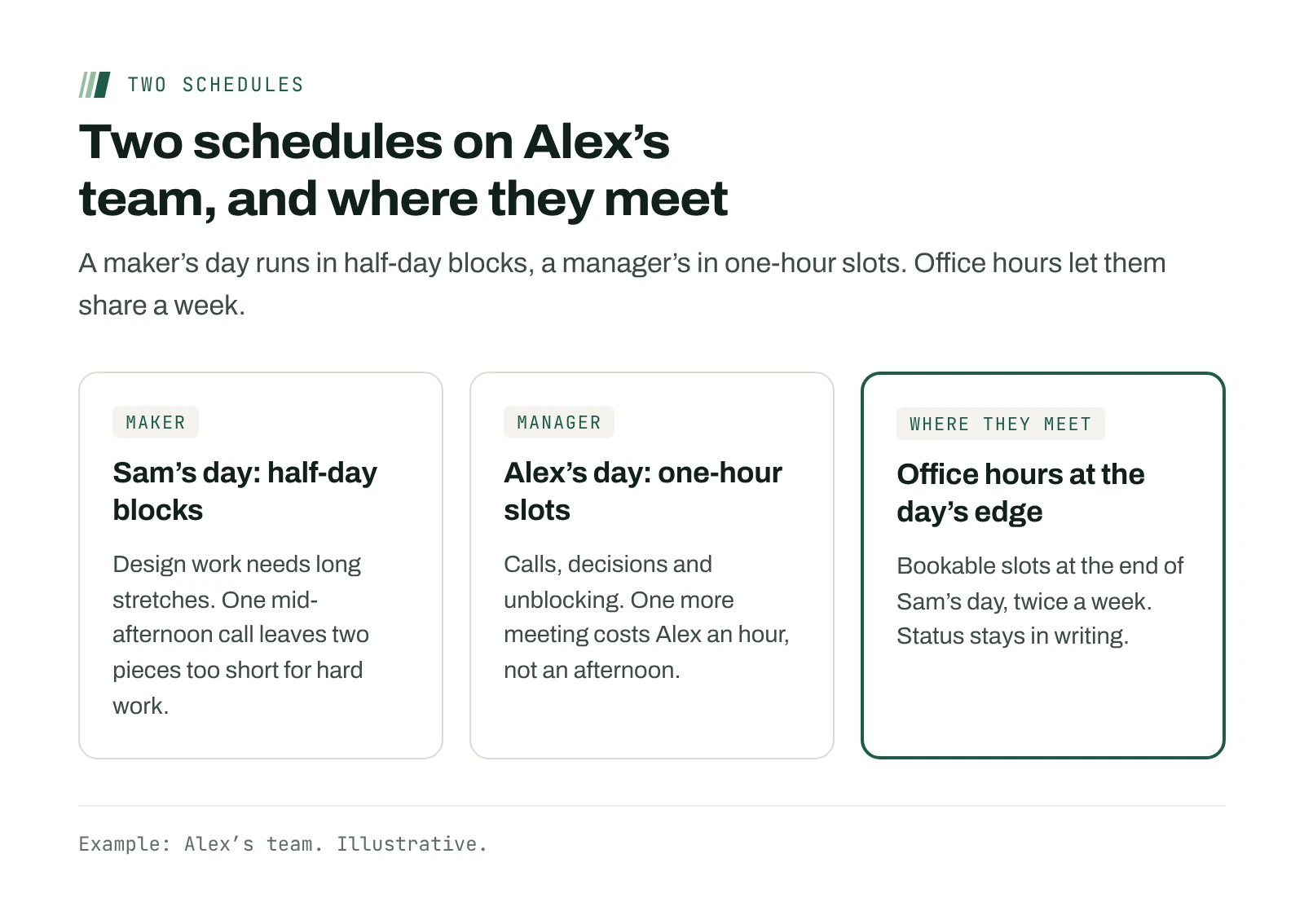
Example: Alex, who manages a nine-person delivery team, runs a manager’s day: calls with Priya and Northwind, planning with Taylor and quick check-ins. Sam (design) and Jordan (QA) run makers’ days, several hours ahead of Alex, so Alex’s morning is their afternoon. Alex used to drop 30-minute check-ins into that overlap, which split Sam’s afternoon in two. Now status lives in writing, and Alex holds office hours on Tuesday and Thursday at the end of Sam’s and Jordan’s day. Anything that can’t wait goes through as urgent. The other three afternoons stay whole.
Related terms
Deep work: the focused work a maker’s schedule is built to protect.
Time blocking: a way for makers to hold half-day blocks on the calendar and push meetings to the edges.
Focus time for remote teams: the team habits that keep a maker’s hours free across time zones.
Context switching: why the hour after an interruption costs more than the interruption itself.
Where ActionOrder fits
ActionOrder, an efficiency and accountability tool for managers of remote teams, lets a manager keep a manager’s schedule without breaking into a maker’s. Every card has one owner and a status: done, in progress, waiting or stuck. On Pro, the team view shows each card’s owner and status, so you can see where work stands without a call. Starting a card holds focus: only items a manager marks urgent and items due today get through, as a small bar.
Join the waitlist. ActionOrder is in pre-launch.
Sources
- Maker’s Schedule, Manager’s SchedulePaul Graham, paulgraham.com, July 2009
- The Cost of Interrupted Work: More Speed and StressGloria Mark, Daniela Gudith and Ulrich Klocke, CHI 2008 conference paper, April 2008