How to Know If Remote Employees Are Working (Without Watching Them)
How to know if remote employees are working without watching them: five outcome signals to check weekly, a ready-made signal table and a talk script.
How to know if remote employees are working: look at what they finish, not how busy they look. Agree on what done means, keep status where the work lives, and watch five signals: finished work, moving status, stuck work raised early, clean handoffs and estimates that hold. When a signal slips, talk before you add surveillance.
How can you tell if remote employees are working?
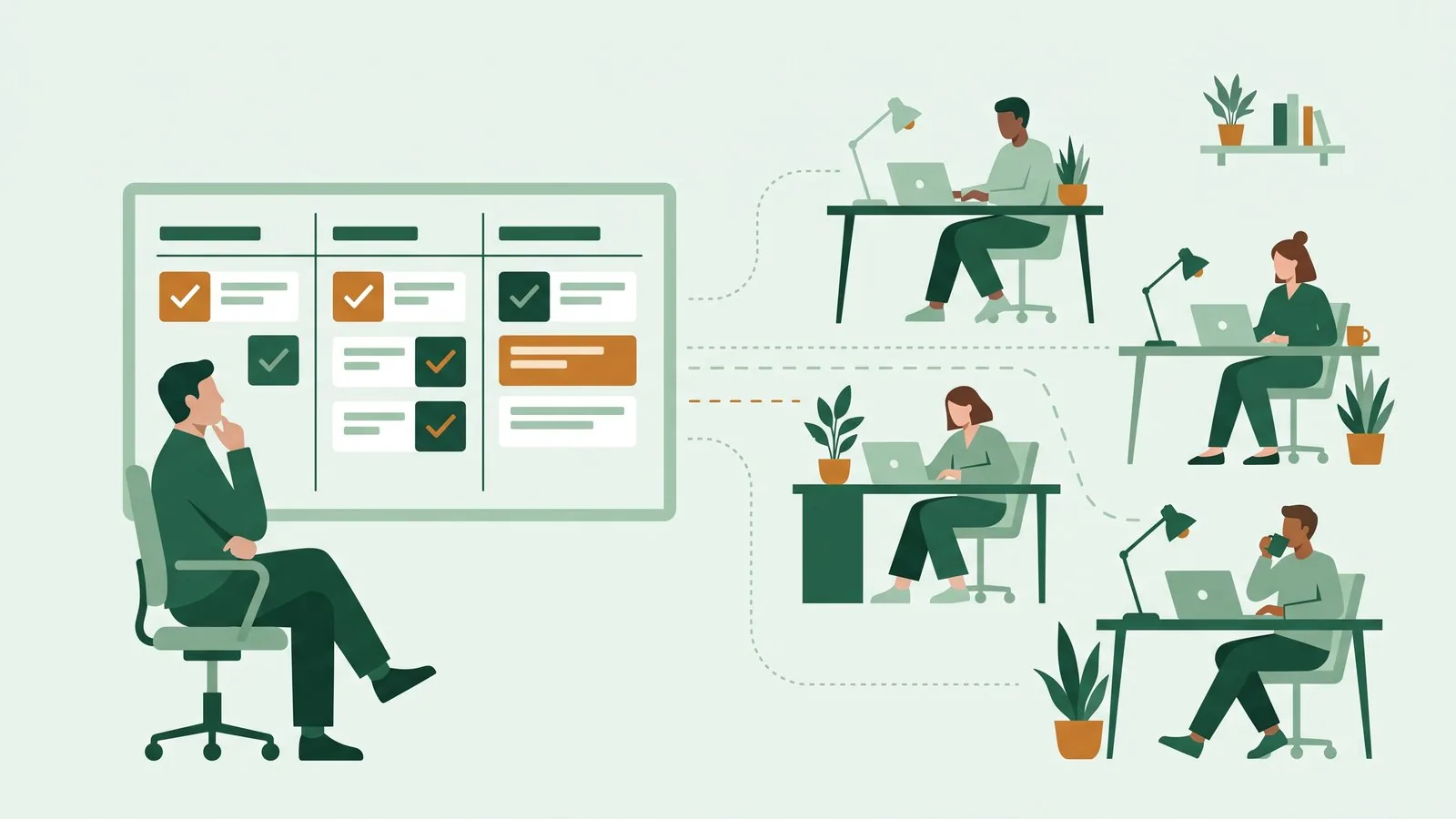
You can tell by checking finished work against an agreement you made in advance. If you and your team agreed what done means and when it's due, the work itself shows whether it's happening, without anyone watching a screen.
What you need is a short, written agreement about the work and a habit of reading it. Set it up in three steps:
Agree what done means. For each piece of work, write one sentence that describes the finished result, plus a due date. "Draft the Northwind onboarding email" is a task. "Northwind onboarding email approved by Priya, sent by Thursday" is a definition of done.
Keep status where the work lives. Each task has one owner and a status that the owner updates: done, in progress, waiting or stuck.
Read the signals weekly. Once a week, look at the five signals below for the whole team.
Example: Alex manages a 9-person delivery team spread across three time zones. Alex reads the task board on Monday and Thursday. When Sam's design tasks sat at "in progress" for eight days with no change, Alex had a specific question to ask, and the answer (Sam was waiting on brand files from Northwind) took two minutes to fix.
For the deeper case on why trust and accountability work together, read accountability without surveillance on a remote team.
What signals show remote work is actually getting done?
Five signals show it: work finished against what was agreed, status that changes, stuck work raised early, handoffs that land, and estimates that hold against logged time.
Use this five-signal check once a week.
| Signal | What healthy looks like | Warning sign | What to ask |
|---|---|---|---|
| Work finished against what was agreed | Most committed items reach done by their date, and misses are flagged before the date | Items quietly roll from week to week with no note | "This has moved three weeks running. What's changed since we scoped it?" |
| Status that changes | Each active task's status moves at least every few days | A task sits at "in progress" for a week or more with no update | "Where does this stand, and what's the next step?" |
| Stuck work raised early | People mark work stuck and say what they need, often within a day of hitting the problem | You discover blockers in a review or from a client | "What makes it hard to flag stuck work sooner?" |
| Handoffs that land | The next person can act on handed-off work without a call | Handoffs bounce back with missing links, decisions or context | "What would the next person have needed to start without you?" |
| Estimates that hold against logged time | Logged time stays near the estimate, and big gaps get a one-line explanation | Logged time runs far over or under estimates, week after week, unexplained | "Was the estimate off, or did the work change?" |
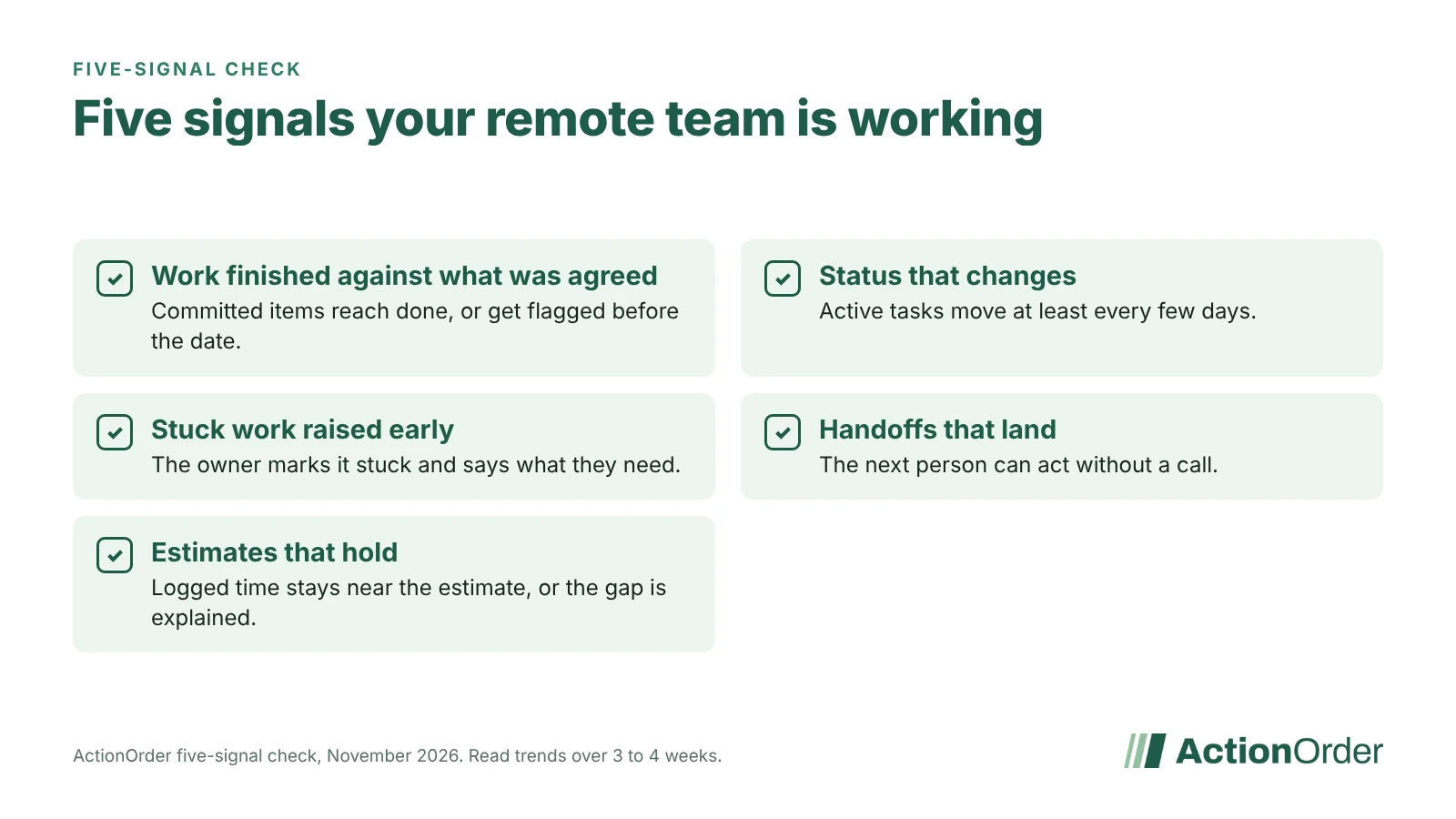
Two cautions keep this check fair. First, look at trends over three or four weeks; any of these can slip for one week for good reasons. Second, compare people with their own past, not with each other.
The estimates signal only applies where people log their own time against tasks, such as agency and contractor teams paid on logged time. If your team doesn't log time, use the first four signals.
Why doesn't activity data tell you if someone is working?
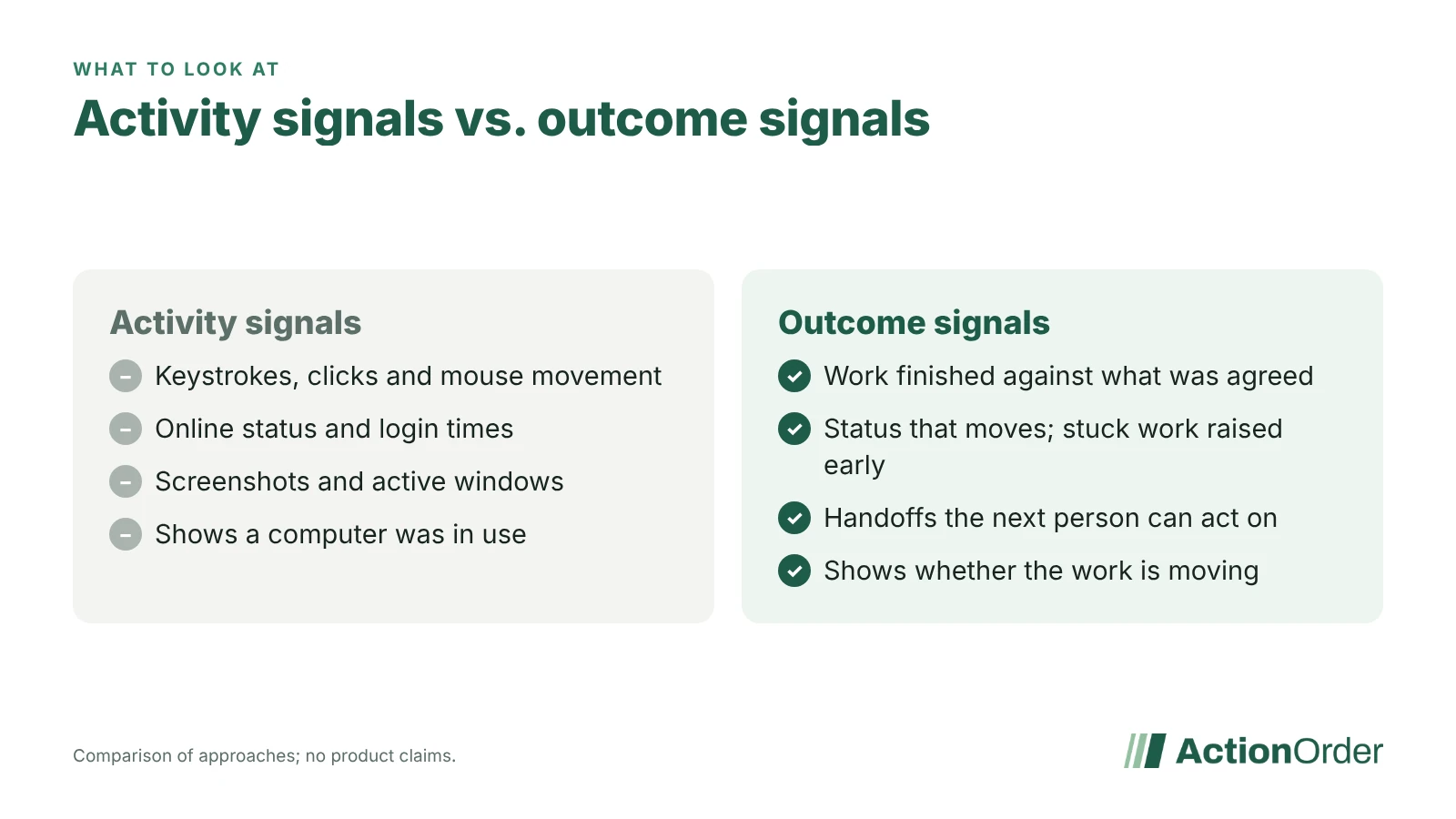
Activity data measures motion, not progress. Keystrokes, mouse movement, active windows and online status can all look busy while nothing important moves, and they can look quiet while someone does the hardest thinking of the week.
Activity data answers a question leaders already doubt. In Microsoft's survey of 20,006 knowledge workers in 11 countries (July to August 2022), 87% of employees said they were productive at work, while 85% of leaders said hybrid work made it hard to have confidence that employees were productive (Microsoft Work Trend Index, Sept 22, 2022).
Watching more can backfire. Across two studies, monitored employees were substantially more likely to break rules, including cheating on a test and working slowly on purpose (Thiel et al., Harvard Business Review, June 27, 2022).
Activity signals also fail on their own terms. They are easy to game, they reward visible busyness over finished work, and they miss the work that happens away from a keyboard: reading, thinking, a call with a client. They answer "was a computer in use?" when your real question is "is the work moving, and if not, why?"
Outcome signals answer that question directly. They also give you something to act on. A task stuck for a week tells you where to help; a low keystroke count tells you nothing about what to do next.
Should you use monitoring software to see if remote employees are working?
For judging whether people on a knowledge-work team are doing their jobs, usually not. Monitoring software records inputs like screens, apps and keystrokes, while the question you're asking is about outputs. It does have narrower, legitimate uses, such as security, regulatory compliance and billing evidence.
Before you buy anything, answer these four questions in writing:
What decision will this data change? If you can't name one, the data will become a reason to watch rather than a reason to act.
Could the work itself answer the question? If a task board with owners, status and due dates would show the problem, start there.
Who will see it, and how will you explain it to the team? If you would be uncomfortable describing the tool in your team's next all-hands, treat that as a signal.
What will it cost in trust? People who feel watched may start optimizing for looking busy.
For a neutral breakdown of each type of tool, what it records and what it can't tell you, see employee monitoring software: what it measures and what it misses.
Is it legal to monitor remote employees?
It depends on where your employees live, what you collect and what notice you give. In the US, the rules can differ from one state to the next. Laws vary by state and change over time, so check the current rules for every state where your people work, and talk to an employment lawyer before you start. Our guide to what employee monitoring software measures covers US notice rules in more depth. This is general information, not legal advice.
What are the signs a remote employee is disengaged?
The clearest signs show up in the work: status that stops moving, commitments that slip without warning, and problems you hear about late. A single quiet week means little. A pattern across three or four weeks is worth a conversation.
Watch for these patterns:
Status goes stale. Tasks sit at "in progress" with no update, or nothing is marked done for a week.
Misses arrive as surprises. Due dates pass with no flag beforehand.
Blockers surface late. You learn about stuck work from a teammate or a client instead of the owner.
Handoffs come back incomplete. The next person has to chase links, decisions or context.
Replies drift outside the team's agreed response times, especially on threads that need this person's input.
Written contributions thin out. Fewer comments, shorter updates, no questions.
Every one of these can also mean overload, unclear priorities, a tool problem or something personal. If several people show the same pattern at once, look at the system first: priorities may be unclear, or one person may be the bottleneck for everyone.
What should you do if you suspect someone isn't working?
Talk to them privately, soon, and about specific work. Bring the pattern you saw, ask what's getting in the way, and agree on one or two concrete next steps with a date to look again.
Gather the facts first. Pull three or four concrete examples from the task list: dates, tasks, what was agreed and what happened.
Meet one to one, on a call.
Open with the work, then ask. Describe what you saw without labels like "lazy" or "checked out."
Listen for the cause. Unclear priorities, too many requests, a blocked dependency and personal circumstances each need a different fix.
Agree on what changes. One or two commitments, written down, with a check-in date one to two weeks out.
Follow up when you said you would. If nothing changes after a fair, documented chance, move to your company's formal performance process.
Here is a short script you can adapt.
Example: Alex notices that three of Jordan's QA tasks rolled over two weeks in a row with no status change.
Alex: "I want to talk about the last two weeks of QA work. The Northwind regression pass, the login test plan and the checkout tests were all due last Friday, and none moved from in progress. I'd like to understand what's going on."
Jordan: "Honestly, Priya's been sending me client fixes directly, and I've been doing those first."
Alex: "That helps. Those fixes aren't on the board, so I couldn't see them. Let's put every client request on the board this week, and I'll agree with Priya which comes first. Can we look at it together next Thursday?"
The problem in the example was invisible work, not missing work. A screenshot tool would have shown Jordan busy all day and still missed it.
How ActionOrder handles this
ActionOrder, an efficiency and accountability tool for managers of remote teams, answers this question from the work itself. Every card has one owner and a status: done, in progress, waiting or stuck, and people set "stuck" themselves. On Pro, the team view shows each card's owner and status, how long it waited in the queue, how many times it was skipped, and logged time against its estimate (time logging is on Pro and Business), plus a Friday recap of what moved, what's stuck and what needs the manager. It never looks at screens, keystrokes, clicks, anyone's inbox or calendar, and it never ranks people. Nothing runs in the background.
Join the waitlist. ActionOrder is in pre-launch.
Questions people ask
How often should I check in with remote employees?
Read status twice a week and hold a short one-to-one every week or two. Reading status covers progress, so one-to-ones can cover priorities, blockers and growth instead of task updates. New hires and new kinds of work need more frequent check-ins for the first few weeks; experienced people on familiar work need fewer.
How do I measure remote employee productivity without tracking software?
Measure finished work against what was agreed. Give every task an owner, a definition of done and a due date, then review the five signals weekly: completed commitments, moving status, stuck work raised early, clean handoffs and estimates against logged time. Look at trends over a month, and compare each person with their own past rather than with teammates who do different work.
What should remote employees report each week?
A short written update in a fixed order works best: what's done, what's in progress, what's stuck, what's next and what they need from you. Ask people to write it from the task list rather than memory, which keeps it accurate and quick. Our weekly status report template gives a copyable version with filled examples for three kinds of teams.
Is it different for hourly contractors?
The signals are the same, with more weight on logged time. Ask contractors to log time against specific tasks on the same day, with a description a client would understand. Then compare logged time with estimates over several weeks. Large, repeated, unexplained gaps are worth a conversation. Our guide to billable hours tracking covers entries clients accept.
Sources
- Hybrid Work Is Just Work. Are We Doing It Wrong?Microsoft Work Trend Index, Sept 22, 2022
- Monitoring Employees Makes Them More Likely to Break RulesChase Thiel, Julena M. Bonner, John Bush, David Welsh and Niharika Garud, Harvard Business Review, June 27, 2022