Mouse Jiggler Detection: What It Tells You and What to Do Instead
Mouse jiggler detection shows that someone wanted to look active, not why. Trace the symptom to its cause with a decision tree, then measure the work instead.
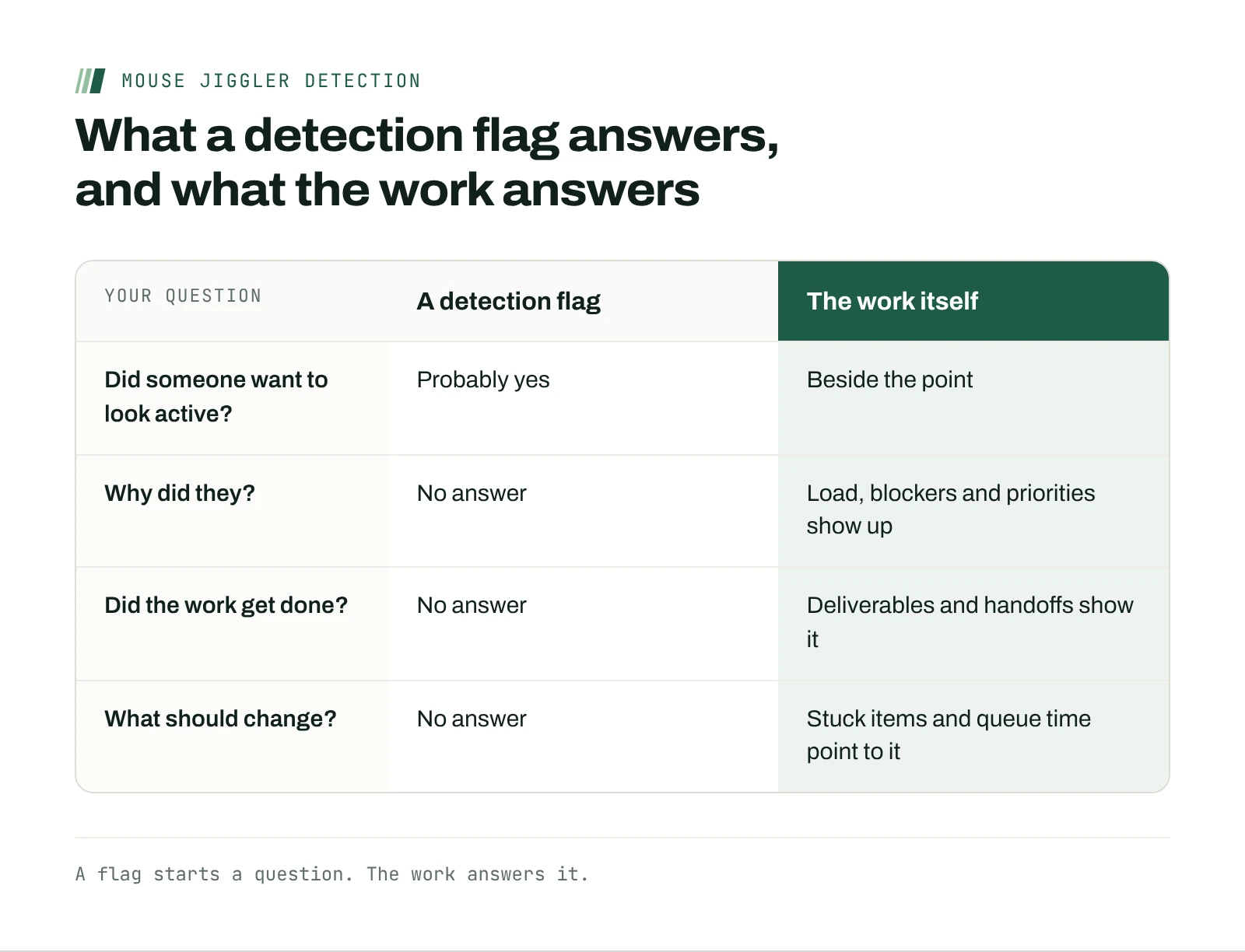
Mouse jiggler detection tells you that someone wanted their computer to look active. It doesn't tell you why, or whether the work got done. Before you act on a flag, check the work itself: deliverables, queue time, stuck items and handoffs. Then fix the metric or the culture that made looking active matter.
What is a mouse jiggler?
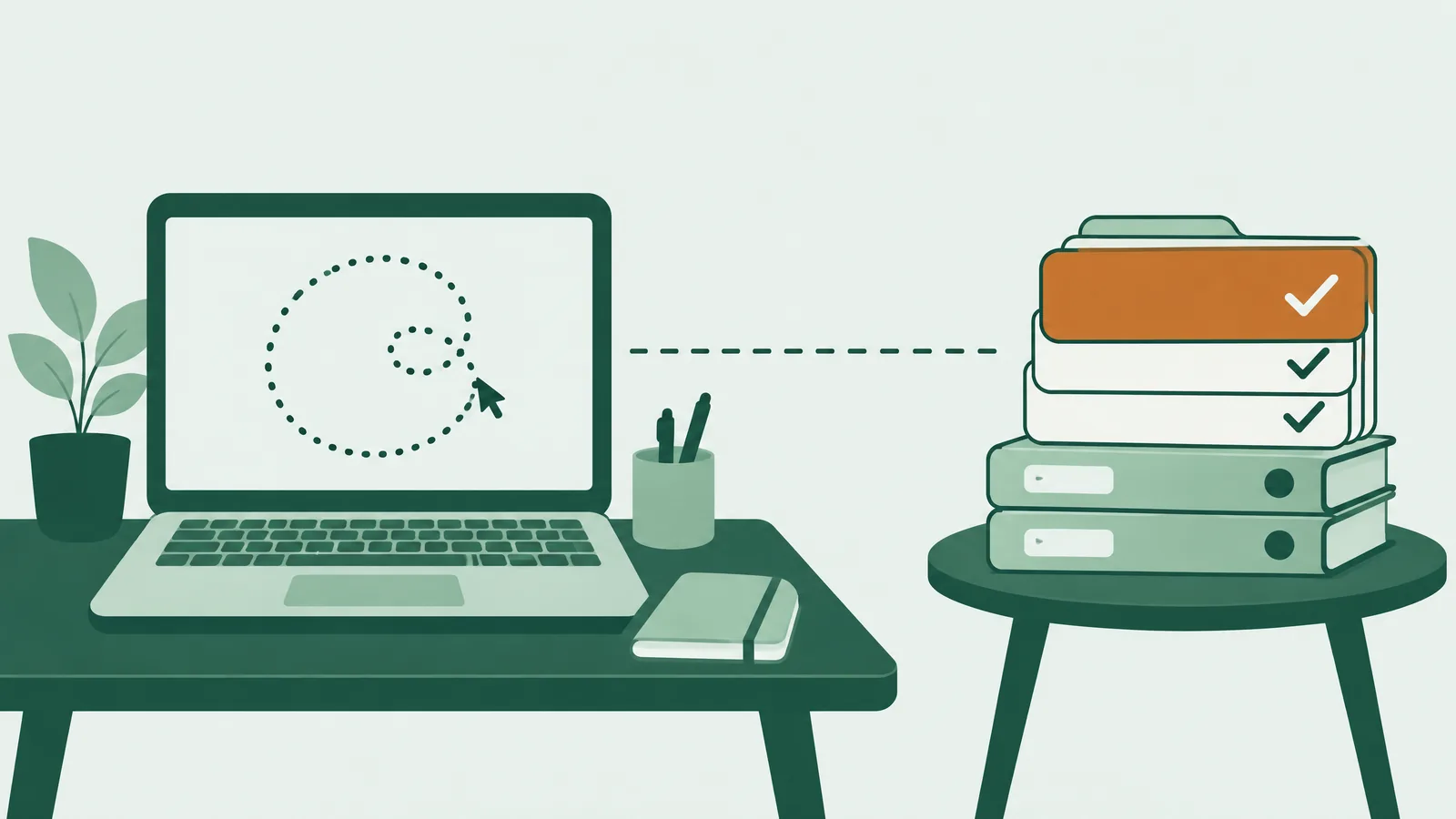
A mouse jiggler is a small device or app that makes a computer look in use when nobody is touching it. "Activity-mimicking tool" is the wider term for anything that produces input without a person at the keyboard.
People use them to stop a screen from locking, to keep a long job running, or to keep a chat status showing as available. Some use them to look present when they aren't. This article covers what a detection flag means for a manager, not how the tools work.
What does mouse jiggler detection tell you?
Mouse jiggler detection tells you that a computer received input that probably didn't come from a person working. It can't tell you why the tool was there, what the person was doing, or whether the work got done.
Some monitoring vendors advertise features that flag activity-mimicking tools. The help center of ActivTrak, which sells workforce analytics software, says: "Our activity detection capabilities ensure your productivity analytics stay accurate by identifying potential artificial inputs that could skew your data." The stated job is accurate activity data, which still doesn't show whether work moved. The same page advises: "Don't just react to a single alarm - these work best when you look at the bigger picture of what's happening with that employee."
On company-managed devices, IT can generally see installed software and connected hardware. Ask what they see and what your policy allows before you conclude anything.
Why do people use mouse jigglers?
People use mouse jigglers because something on the team rewards looking active. Six causes cover most cases:
An activity metric that punishes reading, calls and thinking. If idle time counts against people, an hour on a client call looks like an hour off.
A green-dot presence culture. Microsoft's Teams documentation says a user's status "is based on user activity" as well as the state of the app and their calendar. When managers read Away as absent, people find ways to stay green.
Lock and sleep settings that interrupt real work. Screen locks protect unattended devices, but a timeout that suits desk work can break a long export or a client demo.
Overload or disengagement. Someone who is underwater, or pulling back, may want to look present while they catch up.
A second job. Someone may be splitting their working hours with another employer.
Unclear expectations. If nobody has said what done looks like or when to be reachable, looking online becomes the safest proof of effort.
Most of these are about the system, not the person, which is why the next step is the work.
How do you trace a symptom to its cause?
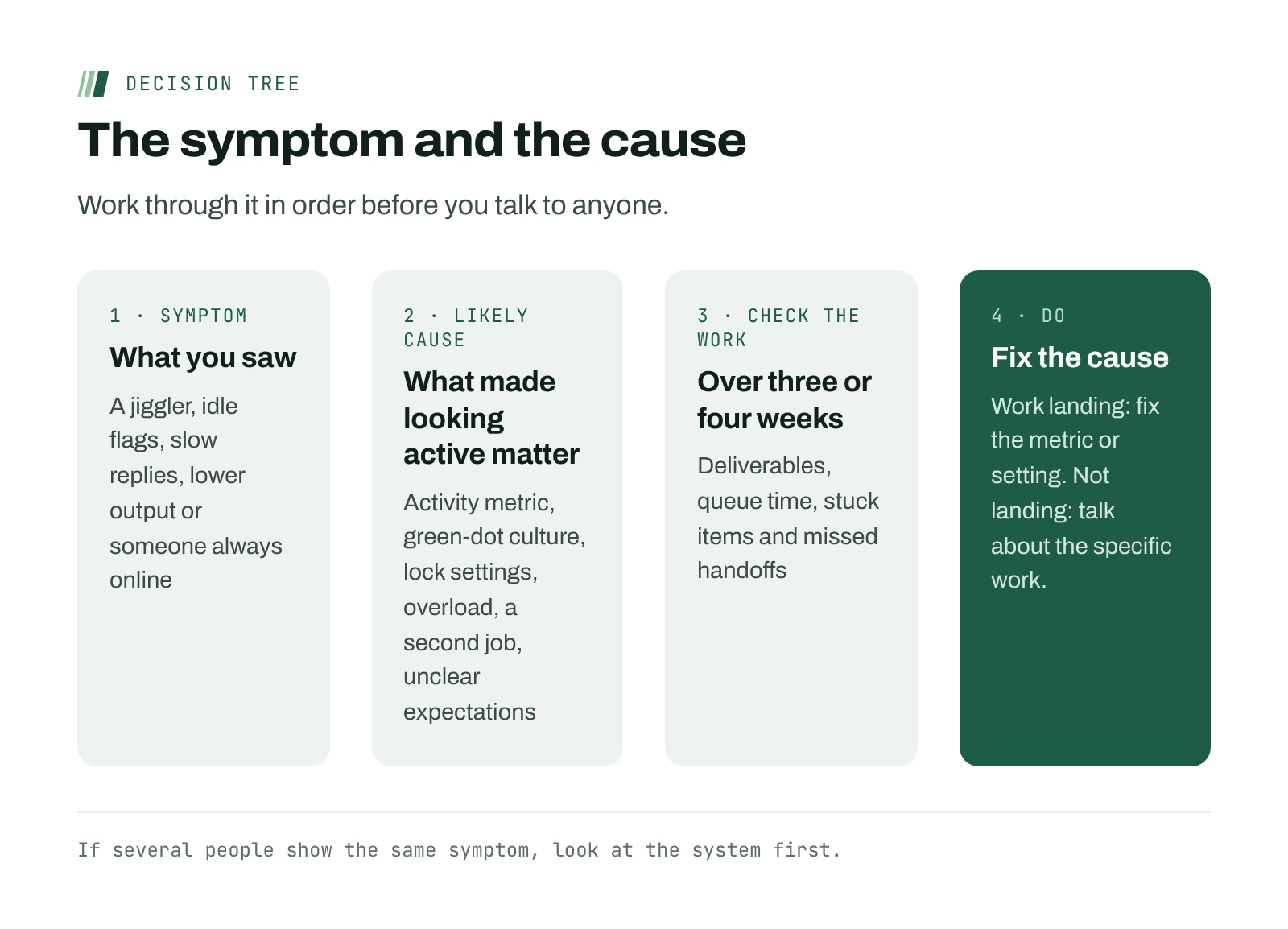
Start from the signal you saw, list the likely causes, check the work, then act on what the work shows. Three rules keep it fair:
Pick the symptom you saw, not the one you suspect.
Check the work over three or four weeks before you talk to anyone.
Look across the team. If several people show the same symptom, the cause is the system: the metric, the culture or the settings.
The symptom and the cause: a decision tree
| If you see | Likely causes | Check in the work | Then do |
|---|---|---|---|
| A jiggler or activity-mimicking tool turns up on a work device | Idle time counts against people; a lock interrupts long jobs or presentations; a green-dot culture; covering absence (overload, a second job, disengagement) | Deliverables against what was agreed; queue time; stuck items they raised; handoffs to the next person | Work landing: ask what they needed it for and fix that cause, in the metric or with IT. Not landing: talk about the specific work. Either way, apply your written policy evenly. |
| Status shows active, but replies are slow | A green-dot culture; too many channels; no written response-time agreement; protected focus time | Replies against the agreed window; requests waiting on them; handoffs held up | Write down response windows; stop reading presence as availability; rebalance the load. |
| Activity reports flag long idle stretches | A metric that punishes reading, calls and thinking; work away from the keyboard; lock settings; real absence | Whether their work moved in those stretches; status changes; logged time against estimate, if your team logs time | Work moved: drop idle time as a performance signal and say so. It didn't: talk about the stalled work, not the idle minutes. |
| Output dropped | Overload; unclear or changing priorities; a blocked dependency; disengagement; a second job; something personal | Items stuck, and for how long; queue time; missed handoffs; changed priorities; whether others dropped too | Talk privately about specific work; confirm one top priority; remove the blocker; set a date to look again. If you suspect a conflict with outside work, follow your written policy. |
| Someone always looks online | A culture that rewards always-on; worry about being judged; no agreed hours; a jiggler | Work arriving outside agreed hours; output that matches the time online; anything stuck behind the busy status | Say in writing that online status isn't a performance measure; agree core hours; check the workload for burnout. |
Two fixes have ready-made starting points: a response-time agreement for slow replies and a team working agreement for hours.
What should you do if you find a mouse jiggler?
Treat it as a question, not a verdict. Check the work, have a private and specific conversation, then fix whatever made looking active matter.
Pause and check the work, using the first row of the tree. Don't act on the flag alone.
Talk about the work. Meet one to one, say plainly what was found, and ask what they needed it for.
Fix the cause (the metric, the setting or the load), and apply your written policy on activity tools the same way to everyone.
Example: Alex manages a 9-person delivery team. IT reports an activity-mimicking app on Sam's laptop. Alex checks Sam's work first: every Northwind design on time, nothing stuck, clean handoffs to Jordan for QA. Sam explains that the laptop locked during long file exports and twice in the middle of client presentations. Alex asks IT for an approved setting, drops idle time from the weekly report, and reminds the team what the policy says.
To raise late work without hovering, see how to stop micromanaging.
Why measure the work instead of hunting for jigglers?
Because detection cleans up activity data, not the work, and hunting for jigglers teaches people to look busy more carefully.
Microsoft's 2022 Work Trend Index, a survey of 20,006 knowledge workers in 11 countries from July 7 to August 2, 2022, found that 87% of employees said they were productive, while 85% of leaders said hybrid work made it hard to be confident that employees were productive (research page). Microsoft, which sells Microsoft 365 and Teams, calls this "productivity paranoia" and warns that "as some organizations use technology to track activity rather than impact, employees lack context on how and why they're being tracked, which can undermine trust" and lead to "productivity theater." A jiggler is one form of it.
Watching harder has costs. In the American Psychological Association's 2023 Work in America survey of 2,515 employed US adults (April 17 to 27, 2023), monitored workers were more likely than unmonitored workers to say they feel micromanaged, 51% versus 33% (research page).
Measure the work instead. Our guide on how to know if remote employees are working sets out five signals to read weekly, and playbook chapter 6 shows how to publish what you look at. For the wider case, read accountability without surveillance and how to manage a remote team without chasing it.
What does the law say about monitoring for jigglers?
In the US, the rules that apply most directly are about notice: several states, including the three below, require employers to tell employees before monitoring them electronically. Laws vary by state and change, so check the current rules wherever your people work.
New York. Under Civil Rights Law §52-c, an employer that monitors employees' phone, email or internet use must "give prior written notice upon hiring to all employees who are subject to electronic monitoring." Employees acknowledge it, and the employer posts it "in a conspicuous place."
Connecticut. General Statutes §31-48d, as amended by Public Act 26-73 effective October 1, 2026, requires an employer that monitors to "give prior written notice to all employees who may be affected, informing them of the types of monitoring which may occur" and where on the employer's premises it may occur. Employees hired on or after that date also get "a plain language statement in writing." The statute covers monitoring "on an employer's premises," so ask counsel how it applies to people who work from home.
Delaware. Title 19 §705 bars monitoring a Delaware employee's phone, email or internet use unless the employer gives an electronic notice "at least once during each day the employee accesses the employer-provided e-mail or Internet access services" or "a 1-time notice" that the employee acknowledges.
Federal labor guidance. In October 2022, the NLRB's General Counsel said that where an employer's business need outweighs employees' rights under Section 7 of the National Labor Relations Act, she would urge the Board to require the employer "to disclose to employees the technologies it uses to monitor and manage them, its reasons for doing so, and how it is using the information it obtains." That memo, GC 23-02, was rescinded on February 14, 2025. Guidance changes as well as statutes.
Whatever your state requires, be open. Put what you monitor, and why, in a written policy, tell people before it starts, and don't monitor covertly. Section 10 of our remote work policy template is a starting point, and our guide to employee monitoring software covers notice rules in more depth. This is general information, not legal advice.
How ActionOrder handles this
ActionOrder, an efficiency and accountability tool for managers of remote teams, starts from the work, not the screen. Nothing runs in the background. Every card has one owner and a status: done, in progress, waiting or stuck, and people set "stuck" themselves. The team view (Pro) shows each card's owner and status, queue time, how long a priority has sat at the top, skips, logged time against estimate, and a Friday recap. Time logging is on Pro and Business. The team view never shows screens, keystrokes, clicks, app activity, anyone's inbox or calendar, or a ranking of people, so there is no activity number to game. Join the waitlist. ActionOrder is in pre-launch.
Questions people ask
Can employers detect mouse jigglers?
Often, on devices the company manages. Some monitoring vendors advertise features that flag activity-mimicking tools, and IT can generally see the software and hardware on managed devices. But a flag only shows that someone wanted the computer to look active, not why, and not whether the work got done.
Will Microsoft Teams show me as away?
On a computer, yes. Microsoft's admin documentation says "a user's presence becomes Away automatically if they're inactive for a few minutes or if the computer is locked; and it becomes Offline when the computer enters sleep mode." That's why presence is a poor measure of work: someone reading or on a call can show as Away.
Is using a mouse jiggler against the law?
The notice laws above set rules for employers that monitor, not for the tools employees use. At work, the usual question is whether a jiggler breaks a company policy, which depends on what your written policy says. Laws vary by state and change, so ask an employment lawyer about your situation. This is general information, not legal advice.
Should a company ban mouse jigglers?
You can, and if you do, put it in your written policy and apply it evenly. A ban alone treats the symptom. If idle time counted against people or screens locked mid-presentation, fix that too, or the same pressure will find another outlet.
Sources
- Detect Mouse Jigglers and Other Activity Mimicking ToolsActivTrak Help Center (vendor documentation; ActivTrak sells workforce analytics software), checked November 22, 2026
- User presence in TeamsMicrosoft Learn, updated July 16, 2026
- Hybrid Work Is Just Work. Are We Doing It Wrong?Microsoft WorkLab, Work Trend Index (vendor survey; Microsoft sells Microsoft 365 and Teams), September 22, 2022
- 2023 Work in America survey: Artificial intelligence, monitoring technology, and psychological well-beingAmerican Psychological Association, September 2023
- New York Civil Rights Law §52-c, "Employers engaged in electronic monitoring; prior notice required"New York State Senate, revision of May 13, 2022
- Public Act No. 26-73, amending Connecticut General Statutes §31-48dConnecticut General Assembly, approved June 4, 2026, effective October 1, 2026
- Delaware Code Title 19 §705, "Notice of monitoring of telephone transmissions, electronic mail and Internet usage"State of Delaware, checked November 22, 2026
- NLRB General Counsel Issues Memo on Unlawful Electronic Surveillance and Automated Management PracticesNational Labor Relations Board, October 31, 2022
- GC 25-05 Rescission of Certain General Counsel MemorandaNational Labor Relations Board, February 14, 2025